How to get Alexa Ranking In Java

In this example, we show you how to use Java and DOM XML parser to get the Alexa ranking from below the undocumented API : http://data.alexa.com/data?cli=10&url=domainName 1. Alexa API For example, type following URL in your browser : http://data.alexa.com/data?cli=10&url=mkyong.com Alexa will return back following XML result : <ALEXA VER="0.9" URL="mkyong.com/" HOME="0" AID="="> <DMOZ> <SITE BASE="mkyong.com/" …

Read more

How to get Google PageRank (PR) in Java

In this example, we will show you how to get Google PageRank (PR) in Java. To request a PageRank for “mkyong.com”, you just need to send following HTTP request : http://toolbarqueries.google.com/tbr?client=navclient-auto&hl=en&ch=6236440745 &ie=UTF-8&oe=UTF-8&features=Rank&q=info:mkyong.com P.S Above URL is used by Google toolbar plugin. The tricky part is following hashing value : ch=6236440745 Google is using Bob Jenkins …

Read more

web.xml deployment descriptor examples

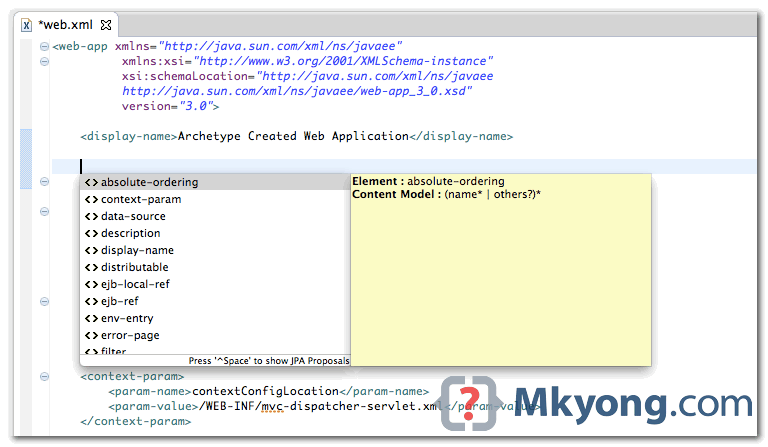
The web.xml is a configuration file to describe how a web application should be deployed. Here’re 5 web.xml examples, just for self-reference. 1. Servlet 3.1 deployment descriptor Java EE 7 XML schema, namespace is http://xmlns.jcp.org/xml/ns/javaee/ web.xml <web-app xmlns="http://xmlns.jcp.org/xml/ns/javaee" xmlns:xsi="http://www.w3.org/2001/XMLSchema-instance" xsi:schemaLocation="http://xmlns.jcp.org/xml/ns/javaee http://xmlns.jcp.org/xml/ns/javaee/web-app_3_1.xsd" version="3.1"> </web-app> 2. Servlet 3.0 deployment descriptor Java EE 6 XML schema, namespace is …

Read more

Convert Java Project to Web Project in Eclipse

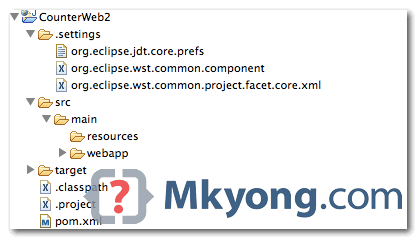
This tutorial shows you how to convert a Java project to Java web application project in Eclipse 4.2, it should work in older version as well. 1. Java Project A simple Java project. 2. Project Facets Right click on the project properties. Select “Project Facets“, and click “convert to faceted form…” Check “Dynamic Web Module” …

Read more

Review : Java 7 Concurrency Cookbook

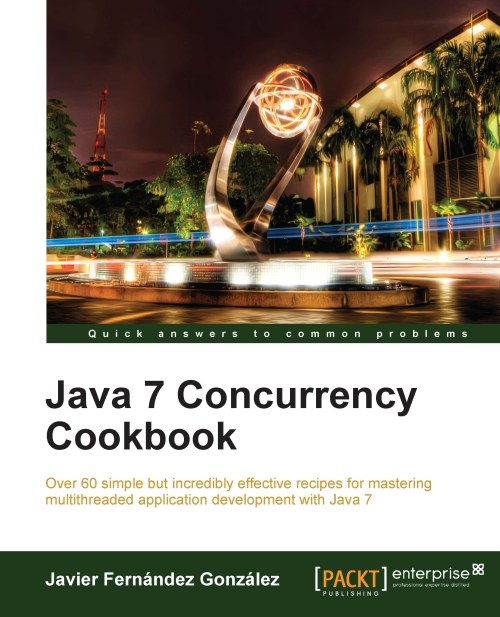
The Java 7 Concurrency Cookbook, containing over 60 examples show you how to do multithreaded programming in Java. It shows varies threading topics from beginner level to advanced level, including thread management like create, interrupt and monitor thread, using Java 5 Executor frameworks to run or schedule threads, and the latest Java 7 fork/Join Frameworks …

Read more

Search directories recursively for file in Java

Here’s an example to show you how to search a file named “post.php” from directory “/Users/mkyong/websites” and all its subdirectories recursively. FileSearch.java package com.mkyong; import java.io.File; import java.util.ArrayList; import java.util.List; public class FileSearch { private String fileNameToSearch; private List<String> result = new ArrayList<String>(); public String getFileNameToSearch() { return fileNameToSearch; } public void setFileNameToSearch(String fileNameToSearch) { …

Read more

Spring and Java Thread example

Here are 3 examples to show you how to do “threading” in Spring. See the code for self-explanatory. 1. Spring + Java Threads example Create a simple Java thread by extending Thread, and managed by Spring’s container via @Component. The bean scope must be “prototype“, so that each request will return a new instance, to …

Read more

How to execute shell command from Java

In Java, we can use ProcessBuilder or Runtime.getRuntime().exec to execute external shell command : 1. ProcessBuilder ProcessBuilder processBuilder = new ProcessBuilder(); // — Linux — // Run a shell command processBuilder.command("bash", "-c", "ls /home/mkyong/"); // Run a shell script //processBuilder.command("path/to/hello.sh"); // — Windows — // Run a command //processBuilder.command("cmd.exe", "/c", "dir C:\\Users\\mkyong"); // Run a …

Read more

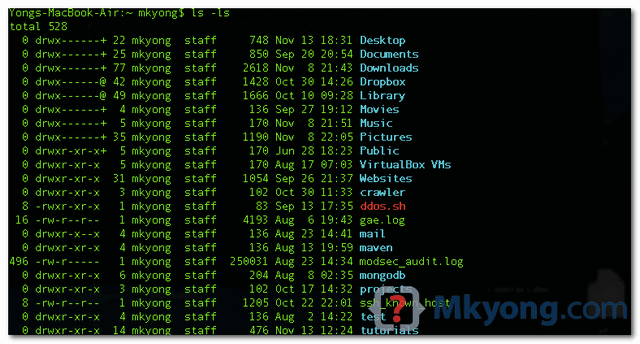
Add color to the bash terminal in Mac OS X

By default, the bash terminal in Mac OSX looks plain. bash terminal, profile = Homebrew 1. Add Color To Bash To make the bash terminal console more colorful, you need to create or edit a ~/.bash_profile file, and configure the LSCOLORS value. See following example to show you how to create a new .bash_profile and …

Read more

How to count duplicated items in Java List

A Java example to show you how to count the total number of duplicated entries in a List, using Collections.frequency and Map. CountDuplicatedList.java package com.mkyong; import java.util.ArrayList; import java.util.Collections; import java.util.HashMap; import java.util.HashSet; import java.util.List; import java.util.Map; import java.util.Set; import java.util.TreeMap; public class CountDuplicatedList { public static void main(String[] args) { List<String> list = new …

Read more

Java : getResourceAsStream in static method

To call getResourceAsStream in a static method, we use ClassName.class instead of getClass() 1. In non static method getClass().getClassLoader().getResourceAsStream("config.properties")) 2. In static method ClassName.class.class.getClassLoader().getResourceAsStream("config.properties")) 1. Non Static Method A .properties file in project classpath. src/main/resources/config.properties #config file json.filepath = /Users/mkyong/Documents/workspace/SnakeCrawler/data/ FileHelper.java package com.mkyong; import java.io.IOException; import java.io.InputStream; import java.util.Properties; public class FileHelper { public static …

Read more

How to create a manifest file with Maven

This tutorial will show you how to use the maven-jar-plugin to create a manifest file, and package / add it into the final jar file. The manifest file is normally used to define following tasks : Define the entry point of the Application, make the Jar executable. Add project dependency classpath. When you run the …

Read more

ModSecurity exclude rules for editing posts and pages in WordPress

When editing post or page in WordPress, sometime the server’s firewall will block my IP address, and the log showed the following error: Terminal lfd: (mod_security) mod_security triggered by xx.xx.xx.xx : 5 in the last 300 secs The quick fix is to restart the modem or uses a VPN to get a new IP to …

Read more

How to create a jar file with Maven

In this tutorial, we will show you how to use Maven build tool, to create a single executable Jar, and how to deal with the project’s dependencies. Tools used : Maven 3.1.1 JDK 1.7 log4j 1.2.17 Joda-time 2.5 Eclipse 4.3 1. Create a simple Java project Create a Java project from the Maven quick start …

Read more

Java enum example

Some of the Java enum examples, and how to use it, nothing special, just for self-reference. Note Consider the Enum type if your program consists of a fixed set of constants, like seasons of the year, operations calculator, user status and etc. 1. Basic Enum UserStatus.java public enum UserStatus { PENDING, ACTIVE, INACTIVE, DELETED; } …

Read more

Spring @Autowired into JSF custom validator

Here’s the scenario, create a custom JSF validator, injects a bean via Spring’s @Autowired. UsernameValidator.java – Custom JSF validator package com.mkyong.user; import javax.faces.application.FacesMessage; import javax.faces.component.UIComponent; import javax.faces.context.FacesContext; import javax.faces.validator.FacesValidator; import javax.faces.validator.Validator; import javax.faces.validator.ValidatorException; import org.springframework.beans.factory.annotation.Autowired; import org.springframework.context.annotation.Scope; import org.springframework.stereotype.Component; import com.mkyong.user.bo.UserService; @Component @Scope("request") @FacesValidator("UsernameValidator") public class UsernameValidator implements Validator { @Autowired UserService userService; @Override public …

Read more

How to get JSF id via jQuery

See a simple JSF example : <h:form id="signup-form"> <h:inputText id="email" value="#{beanBean.email}" /> </h:form> It will generates following HTML code : <input id="signup-form:email" type="text" /> Uses jQuery selector to get the email id, but failed. <script> jQuery(document).ready(function($) { $(‘#signup-form:email’).checkEmailFormat(); }); </script> Solution This is a well-known problem to integrate JSF and jQuery – the colon “:” …

Read more

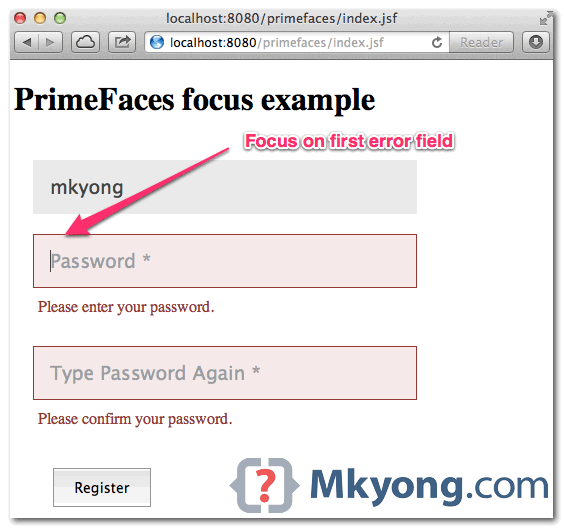
PrimeFaces focus error field automatically

In PrimeFaces, if focus component <p:focus> is enabled : When page is loaded, it will focus on first visible input field; If validation failed, it will focus on first error field automatically. It works very nice, and a must use component in form handling. Just wonder why don’t make it enable by default? In this …

Read more

PrimeFaces + JSF Email validator example

To validate email, uses JSF <f:validateRegex>, and puts following regular expression. This regex should be able to validates most of the email format, and I’m using it for few projects. Email Regular Expression ^[_A-Za-z0-9-\+]+(\.[_A-Za-z0-9-]+)*@[A-Za-z0-9-]+(\.[A-Za-z0-9]+)*(\.[A-Za-z]{2,})$ P.S For detail explanation, refer to this how to validate email address with regular expression. In this tutorial, we will show …

Read more

PrimeFaces – Watermark on text input

In PrimeFaces, your can use <p:watermark> to display watermark effect on input field. This watermark component is using HTML5 placeholder attribute in supported browsers like Safari, Chrome and Firefox, and fall back to JavaScript solution for non-support browser like IE. Display watermark text in input field <p:inputText id="username" required="true" label="username" size="40" value="#{userBean.username}" /> <p:watermark for="username" …

Read more

How to access web server 8080 in Mac OS X

Mac OS x 10.8.3, running a Java’s web application on Tomcat, port 8080. Users from same network are able to access my web server via port 80, but failed on port 8080. Is there a firewall setting blocked the incoming connection via port 8080. Solution 1 The simplest solution is turn off your Firewall. Mac …

Read more

How to override PrimeFaces CSS?

Often times, you may need to override default PrimeFaces CSS with your pretty customize values. In this example, we will show you how to override PrimeFaces error message style. Debug with FireBug, the PF’s error messages style are from primefaces.css primefaces.css .ui-message-info, .ui-message-error, .ui-message-warn, .ui-message-fatal { border: 1px solid; margin: 0px 5px; padding: 2px 5px; …

Read more

Resource ordering in PrimeFaces

Since PrimeFaces 3.0, it provides a very customizable resource ordering. See following order : 1. “first” facet if defined. <f:facet name="first"> <!– load css, js or others –> </f:facet> 2. PrimeFaces – JSF registered CSS. 3. PrimeFaces – Theme CSS. 4. “middle” facet if defined. <f:facet name="middle"> <!– load css, js or others –> </f:facet> …

Read more

Spring 3 and JSR-330 @Inject and @Named example

Since Spring 3.0, Spring supports for the standard JSR 330: Dependency Injection for Java. In Spring 3 application, you can uses standard @Inject instead of Spring’s @Autowired to inject a bean. @Named instead of Spring’s @Component to declare a bean. Those JSR-330 standard annotations are scanned and retrieved the same way as Spring annotations, the …

Read more

How to inject null value in Spring

In Spring, you can uses this special <null /> tag to pass a “null” value into constructor argument or property. 1. Constructor Argument The wrong way to inject a null into constructor argument, a really common mistake, and nice try 🙂 <bean id="defaultMongoTypeMapper1" class="org.springframework.data.mongodb.core.convert.DefaultMongoTypeMapper"> <constructor-arg name="typeKey" value="null" /> </bean> Correct way. <bean id="defaultMongoTypeMapper" class="org.springframework.data.mongodb.core.convert.DefaultMongoTypeMapper"> <constructor-arg …

Read more

Spring Data MongoDB remove _class column

By default, SpringData’s MappingMongoConverter add an extra “_class” column for every object saved in MongoDB. For example, public class User { String username; String password; //…getters and setters } Save it MongoOperations mongoOperation = (MongoOperations)ctx.getBean("mongoTemplate"); User user = new User("mkyong", "password123"); mongoOperation.save(user, "users"); Result > db.users.find() { "_class" : "com.mkyong.user.User", "_id" : ObjectId("5050aef830041f24ff2bd16e"), "password" : …

Read more

MongoDB hello world example

A quick guide to show you how to do basic operations like create, update, find, delete record and indexing in MongoDB. This example is using MongoDB 2.0.7, running on Mac OS X 10.8, both MongoDB client and server console are run on localhost, same machine. 1. Install MongoDB Install MongoDB on Windows, Ubuntu or Mac …

Read more

Copy file to / from server via SCP command

SCP uses Secure Shell (SSH) to transfer data between client and remote server, it’s fast and secure. In this article, we will show you two common SCP copying examples : Copying data from your computer to remote server. Copying data from remote server to your computer. 1. Copying data to Remote Server Example 1.1 – …

Read more

Download PrimeFaces ShowCase and Source Code

The PrimeFaces showcase is showing how to use the entire 100+ PrimeFaces components, which is impressive! Actually, you can download the entire PrimeFaces showcase web application (in war) and source code, and deploy on your local server for testing or further study. Here we show you how. 1. Visit Maven Repository The entire PrimeFaces showcase …

Read more

How to create user defined properties in Maven

Custom properties or variables are useful to keep your Maven pom.xml file more easy to read and maintain. File : pom.xml <project> … <properties> <my.plugin.version>1.5</my.plugin.version> </properties> … </project> In above pom.xml, you can refer “my.plugin.version” via code ${my.plugin.version}. Example 1 A classic use case is used to define a jar or plugin version. <properties> <spring.version>3.1.2.RELEASE</spring.version> …

Read more

PrimeFaces compress and combine JavaScript and CSS

In this tutorial, we will show you how to use PrimeFaces extensions – Maven plugin, to compress and combine JavaScript and CSS files, a web resources optimization example, to make web site load faster. Tool tested : PrimeFaces 3.3 PrimeFaces-Extensions 0.5 Maven 3.0.3 Note This guide is example-driven, for detail explanation and all other plugin …

Read more

Eclipse code assist in Maven pom.xml

By default, code assist in editing a pom.xml is NOT supported in Eclipse IDE. It make Maven project hard to maintain, and who will remember who all those tags? Solution You need a pom.xml Maven editor, which is available in m2eclipse plugin. In Eclipse, menu, select “Help” -> “Install New Software”, and put following m2eclipse …

Read more