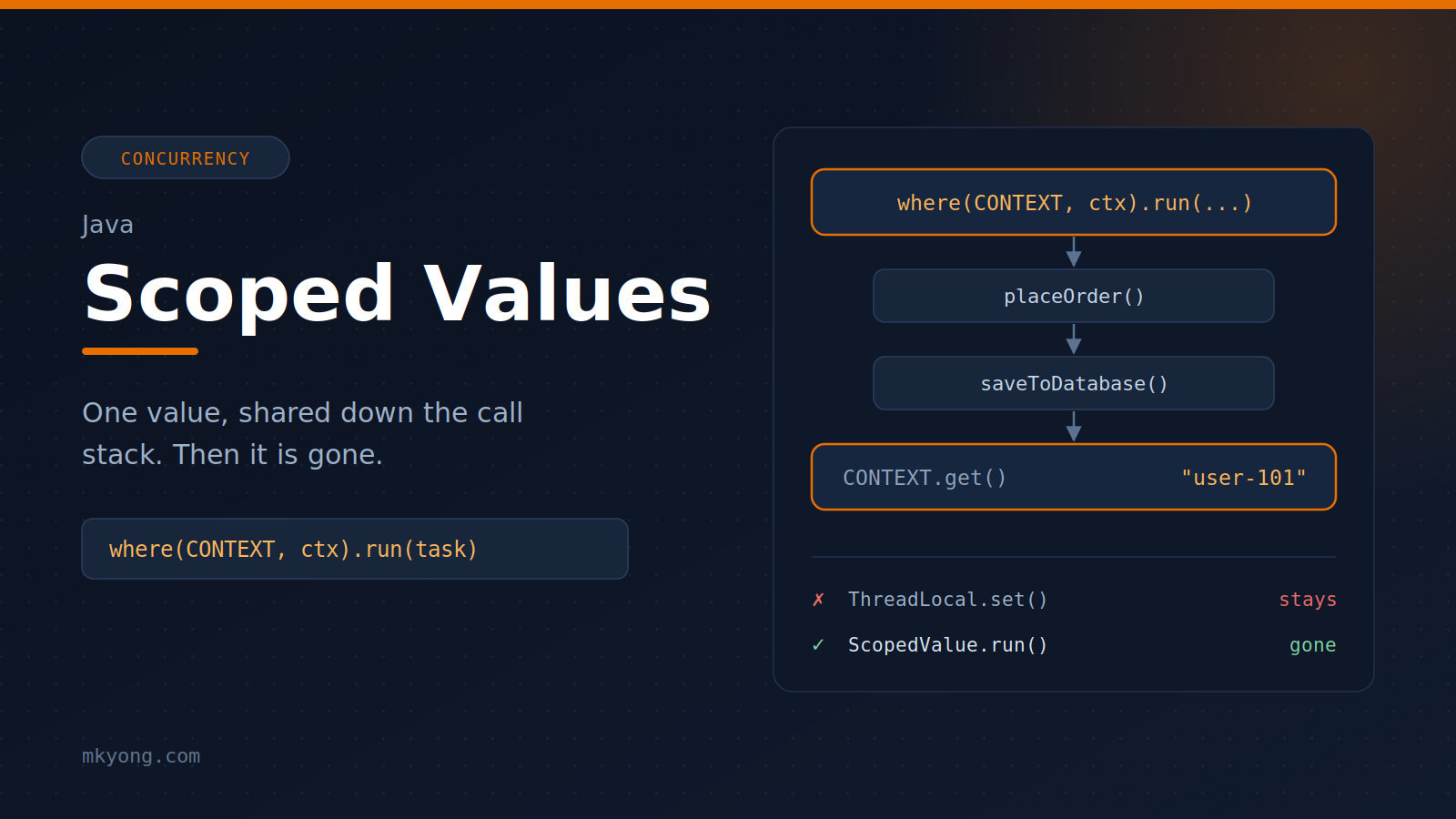
A scoped value looks like a normal field, but it is not one. It holds a different value for each running task, all at the same time.
Think of a box. You put one value in the box, run some code, and every method that code calls can look inside. When the code finishes, the box is empty again. The next task gets a fresh box.
It is a final feature in Java 25, added by JEP 506.
P.S. Tested with Java 25
Table of contents:
- Is it just a normal variable?
- A short history of scoped values in Java
- Your first scoped value
- Must a scoped value be static?
- Deep methods can read the box too
- The box is empty outside the scope
- Fill two boxes at once
- Get a result back with call()
- Change the value for callees only
- Share the box with child threads
- Real-life use case: a web request context
- When should you still use ThreadLocal?
- Common mistakes
- Conclusion
- References
Is it just a normal variable?
No. Look at what a normal variable does when two people use your app at the same time.
package com.mkyong;

public class SharedVariableApp {

    // A normal variable. One value, shared by everyone.
    static String user;

    public static void main(String[] args) throws InterruptedException {

        Thread alice = new Thread(() -> {
            user = "alice";                                    // Alice logs in
            sleep(2000);                                       // Alice does slow work
            System.out.println("Alice's task sees: " + user);  // reads the shared value
        });

        Thread bob = new Thread(() -> {
            sleep(1000);                                       // Bob arrives 1 second later
            user = "bob";                                      // Bob logs in, overwrites Alice
            System.out.println("Bob's task sees: " + user);
        });

        alice.start();
        bob.start();

        alice.join(); // wait for both to finish
        bob.join();
    }

    // A small helper so the example stays short
    static void sleep(long ms) {
        try {
            Thread.sleep(ms);
        } catch (InterruptedException e) {
            Thread.currentThread().interrupt();
        }
    }
}
Output:
Bob's task sees: bob
Alice's task sees: bob
Alice’s task now thinks Alice is Bob. There is only one value, and the last writer wins.
Java already has a fix for this: a ThreadLocal. It looks like one field, but each thread gets its own value inside it.
package com.mkyong;

public class ThreadLocalUserApp {

    // One field, but each thread keeps its own value
    static final ThreadLocal<String> USER = new ThreadLocal<>();

    public static void main(String[] args) throws InterruptedException {

        Thread alice = new Thread(() -> {
            USER.set("alice");                                        // only Alice's thread
            sleep(2000);
            System.out.println("Alice's task sees: " + USER.get());
            USER.remove();                                            // you must clean up
        });

        Thread bob = new Thread(() -> {
            sleep(1000);
            USER.set("bob");                                          // only Bob's thread
            System.out.println("Bob's task sees: " + USER.get());
            USER.remove();                                            // you must clean up
        });

        alice.start();
        bob.start();

        alice.join();
        bob.join();
    }

    static void sleep(long ms) {
        try {
            Thread.sleep(ms);
        } catch (InterruptedException e) {
            Thread.currentThread().interrupt();
        }
    }
}
Output:
Bob's task sees: bob
Alice's task sees: alice
That works. So why did Java add a new feature? Because ThreadLocal has three holes:
- Any method your thread runs can call
setand change the value under your feet. - You must remember
remove(). Nothing reminds you. - If you forget, a thread pool hands your value to the next request. You will see that leak later.
Each thread has its own value, so why does `set` matter?
Because one thread runs many methods, and they all share that one value.
package com.mkyong;

public class OverwriteApp {

    static final ThreadLocal<String> USER = new ThreadLocal<>();

    public static void main(String[] args) {

        USER.set("alice");                            // you log Alice in
        System.out.println("Before: " + USER.get());

        doWork();                                     // a library, or a workmate's code

        System.out.println("After : " + USER.get());  // is Alice still here?
    }

    static void doWork() {
        // Deep inside, this code needs admin rights for a moment
        USER.set("admin");
        // ...and forgets to put "alice" back
    }
}
Output:
Before: alice
After : admin
One thread. No other request. Your own line USER.get() returned a value you never wrote, and your code never shows where it came from. If the next line is a permission check, that is a bug you will hunt for days.
A scoped value cannot do this. Here is the same code, same doWork(), with a scoped value.
package com.mkyong;

public class OverwriteScopedApp {

    private static final ScopedValue<String> USER = ScopedValue.newInstance();

    public static void main(String[] args) {

        // Alice is bound for everything inside this run()
        ScopedValue.where(USER, "alice").run(() -> {

            System.out.println("Before: " + USER.get());

            doWork();                                     // the same library code

            System.out.println("After : " + USER.get());  // Alice is still here
        });
    }

    static void doWork() {
        // doWork needs admin rights, so it binds a new value...
        // ...but only for the code it calls itself
        ScopedValue.where(USER, "admin").run(() -> deleteOldFiles());
    }

    static void deleteOldFiles() {
        System.out.println("Inside doWork: " + USER.get());
    }
}
Output:
Before: alice
Inside doWork: admin
After : alice
doWork() still got its admin value. Your value never moved. There is no set method, so the only way to change anything is to open a new box for your own callees, and that box closes when they finish.
Now go back to Alice and Bob, the two people using your app at the same time, and give them a scoped value.
package com.mkyong;

public class OwnCopyApp {

    // One field, but each running task gets its own value
    private static final ScopedValue<String> USER = ScopedValue.newInstance();

    public static void main(String[] args) throws InterruptedException {

        Thread alice = new Thread(() ->
                ScopedValue.where(USER, "alice").run(() -> {   // Alice's own value
                    sleep(2000);
                    System.out.println("Alice's task sees: " + USER.get());
                }));

        Thread bob = new Thread(() ->
                ScopedValue.where(USER, "bob").run(() -> {     // Bob's own value
                    sleep(1000);
                    System.out.println("Bob's task sees: " + USER.get());
                }));

        alice.start();
        bob.start();

        alice.join();
        bob.join();
    }

    static void sleep(long ms) {
        try {
            Thread.sleep(ms);
        } catch (InterruptedException e) {
            Thread.currentThread().interrupt();
        }
    }
}
Output:
Bob's task sees: bob
Alice's task sees: alice
Same field, same moment, two different values. Bob cannot touch Alice’s value, because USER has no set method.
Here is the whole idea in one table:
| Local variable | Static variable | ThreadLocal | Scoped value | |
|---|---|---|---|---|
| Who can see it | Only that method | Everyone | Everyone in the same thread | Only the code your call runs |
| How many values at once | One per call | One, shared by all | One per thread | One per running task |
| Who can change it | That method | Any code | Any code, any time | Nobody, it is set once |
| When does it die | End of the method | Never | When you call remove() |
End of run() |
| Must you pass it as a parameter | Yes | No | No | No |
A local variable is safe but you must pass it everywhere. A static variable is easy to reach but everyone shares it. A ThreadLocal gives each thread its own value but never cleans up by itself. A scoped value gives you all three: easy to reach, private to your task, and gone when the task ends.
A short history of scoped values in Java
The idea is old. Lisp had it in the 1960s, and the JEP says Java borrowed it from there. But the Java story is short.
| Release | Year | Step |
|---|---|---|
| Java 1.2 | 1998 | ThreadLocal |
| Java 20 | 2023 | Incubator API (JEP 429) |
| Java 21 | 2023 | First preview (JEP 446) |
| Java 22 | 2024 | Second preview (JEP 464) |
| Java 23 | 2024 | Third preview (JEP 481) |
| Java 24 | 2025 | Fourth preview (JEP 487) |
| Java 25 | 2025 | Final (JEP 506) |
For 25 years ThreadLocal was the only answer. It was good enough, because a server had maybe 200 threads in a pool.
Then virtual threads came. Now a server can run a million threads, one per request. Every thread with its own copy of every thread-local costs real memory, and child threads copy the parent’s values too. That is what pushed scoped values into the JDK.
Two API changes are worth knowing, because old blog posts still show the old code:
- Java 24 removed the static
runWhereandcallWheremethods. Today you always chainwhere(...).run(...)orwhere(...).call(...). - Java 25 stopped letting
orElsetakenull.
Your first scoped value
Now zoom in on the three steps: make the box, fill it, read it.
package com.mkyong;

public class Main {

    // 1. Make an empty box. ScopedValue lives in java.lang, so no import is needed.
    private static final ScopedValue<String> USER = ScopedValue.newInstance();

    public static void main(String[] args) {

        // 2. Put "mkyong" in the box, then run sayHello()
        ScopedValue.where(USER, "mkyong")
                .run(() -> sayHello());
    }

    static void sayHello() {
        // 3. Look inside the box
        System.out.println("Hello " + USER.get());
    }
}
Output:
Hello mkyong
You never passed the name to sayHello(). The method still found it, because it ran inside the box.
Must a scoped value be static?
No. static final is only a habit, not a rule. But it is a good habit, and here is why.
A scoped value object is the key to the box. Two objects mean two different keys, so they open two different boxes.
package com.mkyong;

public class InstanceApp {

    // No static. Every InstanceApp object makes its own key.
    private final ScopedValue<String> user = ScopedValue.newInstance();

    public static void main(String[] args) {

        InstanceApp a = new InstanceApp();
        InstanceApp b = new InstanceApp();

        // Fill the box of object a
        ScopedValue.where(a.user, "mkyong").run(() -> {

            System.out.println("a sees: " + a.user.orElse("nothing"));

            // b holds a different key, so its box was never filled
            System.out.println("b sees: " + b.user.orElse("nothing"));
        });
    }
}
Output:
a sees: mkyong
b sees: nothing
It runs, and nothing breaks. But now the value follows the object, not the request. Most of the time you want one key for the whole app, so use private static final.
Keep the final too. If the field is not final, other code can point it at a new key, and every get() below will fail.
Deep methods can read the box too
You will call three methods, one after another, with no parameters at all.
package com.mkyong;

public class DeepCallApp {

    private static final ScopedValue<String> USER = ScopedValue.newInstance();

    public static void main(String[] args) {

        // Everything called from here can read USER
        ScopedValue.where(USER, "mkyong").run(() -> methodA());
    }

    static void methodA() {
        System.out.println("A sees: " + USER.get());
        methodB(); // no parameter passed
    }

    static void methodB() {
        System.out.println("B sees: " + USER.get());
        methodC(); // no parameter passed
    }

    static void methodC() {
        System.out.println("C sees: " + USER.get());
    }
}
Output:
A sees: mkyong
B sees: mkyong
C sees: mkyong
The box follows the call, not the method signature. No method needs a parameter it does not use.
The box is empty outside the scope
You will check the box before, during, and after the run() call.
package com.mkyong;

import java.util.NoSuchElementException;

public class BoundApp {

    private static final ScopedValue<String> USER = ScopedValue.newInstance();

    public static void main(String[] args) {

        // Before: nothing in the box
        System.out.println("Before -> bound? " + USER.isBound());

        // orElse gives you a backup value when the box is empty
        System.out.println("Before -> user: " + USER.orElse("guest"));

        ScopedValue.where(USER, "mkyong").run(() -> {
            System.out.println("Inside -> bound? " + USER.isBound());
            System.out.println("Inside -> user: " + USER.get());
        });

        // After: the box is empty again
        System.out.println("After -> bound? " + USER.isBound());

        try {
            USER.get(); // reading an empty box throws
        } catch (NoSuchElementException e) {
            System.out.println("After -> get() throws " + e.getClass().getSimpleName());
        }
    }
}
Output:
Before -> bound? false
Before -> user: guest
Inside -> bound? true
Inside -> user: mkyong
After -> bound? false
After -> get() throws NoSuchElementException
The value lives only while run() is running. Nothing is left behind, so nothing leaks into the next task. Note that orElse no longer accepts null in Java 25.
Fill two boxes at once
You will bind two scoped values in one line with a chained where.
package com.mkyong;

public class MultiValueApp {

    private static final ScopedValue<String> USER = ScopedValue.newInstance();
    private static final ScopedValue<String> TRACE_ID = ScopedValue.newInstance();

    public static void main(String[] args) {

        // Chain where() to bind two values together
        ScopedValue.where(USER, "mkyong")
                .where(TRACE_ID, "trace-001")
                .run(() -> printLog());
    }

    static void printLog() {
        // Both boxes are open here
        System.out.println("[" + TRACE_ID.get() + "] user = " + USER.get());
    }
}
Output:
[trace-001] user = mkyong
One chained call is faster and easier to read than two nested run() calls.
Get a result back with call()
run() returns nothing. Use call() when you want an answer.
package com.mkyong;

public class CallApp {

    private static final ScopedValue<Integer> DISCOUNT = ScopedValue.newInstance();

    public static void main(String[] args) {

        // call() runs the code and hands the result back to you
        int price = ScopedValue.where(DISCOUNT, 20)
                .call(() -> finalPrice(100));

        System.out.println("Final price = " + price);
    }

    static int finalPrice(int original) {
        int off = original * DISCOUNT.get() / 100; // read the box
        return original - off;                     // 100 - 20
    }
}
Output:
Final price = 80
call() can also throw an exception from the code inside it, so you can use it for real work like a database read.
Change the value for callees only
There is no set method. But you can put a new value in the box for a nested block. This is called rebinding.
package com.mkyong;

public class RebindApp {

    private static final ScopedValue<String> ROLE = ScopedValue.newInstance();

    public static void main(String[] args) {
        ScopedValue.where(ROLE, "user").run(() -> outer());
    }

    static void outer() {
        System.out.println("outer sees: " + ROLE.get());

        // A new value, but only for inner()
        ScopedValue.where(ROLE, "admin").run(() -> inner());

        // outer() itself never changed
        System.out.println("outer sees: " + ROLE.get());
    }

    static void inner() {
        System.out.println("inner sees: " + ROLE.get());
    }
}
Output:
outer sees: user
inner sees: admin
outer sees: user
A method can change what its callees see. It can never change what it sees itself. This is the rule that saved you from the OverwriteApp bug at the start.
Share the box with child threads
Child threads started with structured concurrency inherit your scoped values for free.
package com.mkyong;

import java.util.concurrent.StructuredTaskScope;

public class ChildThreadApp {

    private static final ScopedValue<String> USER = ScopedValue.newInstance();

    public static void main(String[] args) {

        ScopedValue.where(USER, "mkyong").run(() -> {

            try (var scope = StructuredTaskScope.open()) {

                // Each fork starts a new virtual thread
                var orders = scope.fork(() -> "orders of " + USER.get());
                var profile = scope.fork(() -> "profile of " + USER.get());

                scope.join(); // wait for both child threads

                System.out.println(orders.get());
                System.out.println(profile.get());

            } catch (InterruptedException e) {
                Thread.currentThread().interrupt();
            }
        });
    }
}
StructuredTaskScope is still a preview API in Java 25, so add the preview flag:
javac --release 25 --enable-preview -d target src/main/java/com/mkyong/ChildThreadApp.java
java --enable-preview -cp target com.mkyong.ChildThreadApp
Output:
orders of mkyong
profile of mkyong
The child threads read the same value with no copying. scope.join() also promises the children finish before the box closes.
Real-life use case: a web request context
Here is the story in one place. A web request arrives. It carries a user id and a trace id. Your log lines need both, but the methods in the middle do not care about them.
The problem: you pass it everywhere
package com.mkyong;

public class ParameterApp {

    record RequestContext(String userId, String traceId) {
    }

    public static void main(String[] args) {

        // Two requests, one after another
        handleRequest(new RequestContext("user-101", "trace-abc"), "Java Book");
        handleRequest(new RequestContext("user-202", "trace-xyz"), "Coffee Mug");
    }

    static void handleRequest(RequestContext context, String item) {
        placeOrder(item, context); // pass it down
    }

    static void placeOrder(String item, RequestContext context) {
        log("Placing order for " + item, context); // pass it down again
        saveToDatabase(item, context);             // and again
    }

    static void saveToDatabase(String item, RequestContext context) {
        log("Saved " + item + " to database", context); // and again
    }

    static void log(String message, RequestContext context) {
        System.out.println("[" + context.traceId() + "][" + context.userId() + "] " + message);
    }
}
Output:
[trace-abc][user-101] Placing order for Java Book
[trace-abc][user-101] Saved Java Book to database
[trace-xyz][user-202] Placing order for Coffee Mug
[trace-xyz][user-202] Saved Coffee Mug to database
It is correct, and it never leaks. But saveToDatabase never reads the context. It only carries it. Add one more field next month, and you edit every method in the chain.
The old fix: ThreadLocal, and the leak
Same app, same output, but the context now rides in a ThreadLocal. All those parameters are gone.
Real servers run requests on a pool, so the same thread serves many people. Watch the last task, a background job that has no request context at all.
package com.mkyong;

import java.util.concurrent.ExecutorService;
import java.util.concurrent.Executors;

public class ThreadLocalApp {

    // The context box. No more parameters.
    private static final ThreadLocal<RequestContext> CONTEXT = new ThreadLocal<>();

    record RequestContext(String userId, String traceId) {
    }

    public static void main(String[] args) {

        // One thread, reused by every task. This is a normal thread pool.
        try (ExecutorService pool = Executors.newSingleThreadExecutor()) {

            pool.submit(() -> handleRequest(new RequestContext("user-101", "trace-abc"), "Java Book"));
            pool.submit(() -> handleRequest(new RequestContext("user-202", "trace-xyz"), "Coffee Mug"));

            // A background job on the same thread. It belongs to nobody.
            pool.submit(() -> backgroundJob());
        }
    }

    static void handleRequest(RequestContext context, String item) {
        CONTEXT.set(context); // fill the box for this thread
        placeOrder(item);

        // THE LEAK IS HERE.
        // The request is finished, but the value is still glued to the thread.
        // The missing line is CONTEXT.remove(), and nothing forces you to write it.
    }

    static void backgroundJob() {
        log("Cleaning up old carts"); // never set anything
    }

    // No context parameter from here down
    static void placeOrder(String item) {
        log("Placing order for " + item);
        saveToDatabase(item);
    }

    static void saveToDatabase(String item) {
        log("Saved " + item + " to database");
    }

    static void log(String message) {
        RequestContext ctx = CONTEXT.get();
        System.out.println("[" + ctx.traceId() + "][" + ctx.userId() + "] " + message);
    }
}
Output:
[trace-abc][user-101] Placing order for Java Book
[trace-abc][user-101] Saved Java Book to database
[trace-xyz][user-202] Placing order for Coffee Mug
[trace-xyz][user-202] Saved Coffee Mug to database
[trace-xyz][user-202] Cleaning up old carts
Look at the last line. A background job just wrote a log line wearing a real customer’s name, because user-202 was still sitting in the thread. Swap that log line for a permission check, and you are showing one customer another customer’s data.
That missing remove() also leaks memory. The RequestContext object stays reachable from the thread, so the garbage collector cannot free it. A pool thread lives as long as your app, so the object does too. With 200 pool threads you hold 200 dead requests in memory forever, and a fat context makes it worse.
The fix is to call CONTEXT.remove() in a finally block, so it runs even when the request throws. Everybody knows this. Everybody forgets it, and no compiler warning tells you.
Note the parameter version could not have this bug at all. backgroundJob would have no context to pass, and the compiler would stop you.
The new fix: a scoped value
Same app again, same thread pool, same background job.
package com.mkyong;

import java.util.NoSuchElementException;
import java.util.concurrent.ExecutorService;
import java.util.concurrent.Executors;

public class OrderApp {

    // Private box. Only this class can fill it or read it.
    private static final ScopedValue<RequestContext> CONTEXT = ScopedValue.newInstance();

    record RequestContext(String userId, String traceId) {
    }

    public static void main(String[] args) {

        try (ExecutorService pool = Executors.newSingleThreadExecutor()) {

            pool.submit(() -> handleRequest(new RequestContext("user-101", "trace-abc"), "Java Book"));
            pool.submit(() -> handleRequest(new RequestContext("user-202", "trace-xyz"), "Coffee Mug"));

            // The same background job on the same thread
            pool.submit(() -> backgroundJob());
        }
    }

    // Fill the box, run the request, and the box closes by itself
    static void handleRequest(RequestContext context, String item) {
        ScopedValue.where(CONTEXT, context).run(() -> placeOrder(item));
    }

    static void backgroundJob() {
        try {
            log("Cleaning up old carts"); // the box is empty here
        } catch (NoSuchElementException e) {
            System.out.println("Background job -> " + e.getClass().getSimpleName() + ", nothing leaked");
        }
    }

    // No context parameter from here down
    static void placeOrder(String item) {
        log("Placing order for " + item);
        saveToDatabase(item);
    }

    static void saveToDatabase(String item) {
        log("Saved " + item + " to database");
    }

    static void log(String message) {
        RequestContext ctx = CONTEXT.get();
        System.out.println("[" + ctx.traceId() + "][" + ctx.userId() + "] " + message);
    }
}
Output:
[trace-abc][user-101] Placing order for Java Book
[trace-abc][user-101] Saved Java Book to database
[trace-xyz][user-202] Placing order for Coffee Mug
[trace-xyz][user-202] Saved Coffee Mug to database
Background job -> NoSuchElementException, nothing leaked
The first four lines match the parameter version exactly. The background job gets an empty box and fails at once, in the open, instead of quietly borrowing a customer.
You wrote no cleanup code. When run() returns, the binding is destroyed, so the next task on that thread sees nothing and the RequestContext object becomes garbage right away.
Why this matters
| Parameters | ThreadLocal | Scoped value | |
|---|---|---|---|
| Methods that carry data they never use | Many | None | None |
| Can the value reach the next task | No | Yes, if you forget remove() |
No |
| Can the object stay in memory | No | Yes, for the life of the thread | No |
| Can far away code overwrite it | No | Yes | No |
| Cleanup code you must write | None | remove() in a finally |
None |
| Cost with a million virtual threads | None | High, values are copied | Low, nothing is copied |
The parameter version is safe but noisy. The ThreadLocal version is quiet but risky. The scoped value version is quiet and safe, and it tells you when something is wrong instead of guessing.
Other jobs that fit the same shape: the logged in user for a permission check, a database transaction, a tenant id in a multi tenant app, and a drawing context in a graphics app.
When should you still use ThreadLocal?
ThreadLocal is not deprecated. Dropping it was never a goal of the JEP. Move to a scoped value when the job is one way sharing of data that does not change. Three jobs are not that.
Data that must travel back up. A scoped value only flows down, from a caller to its callees. If a method deep in the stack calls set to hand something back to a faraway caller, a scoped value cannot replace it.
Caching objects that are expensive to create and use. That is the JEP’s own example. A SimpleDateFormat is slow to build and is mutable, so threads cannot share one without locking. Giving each thread its own copy, for the whole life of the thread, was the practical answer. Today you would use a DateTimeFormatter instead, which is safe to share from a static final field, so even this case is fading.
Unstructured use. If the value is written and read in no clear order, there is no scope to bind it to. Fix the design first, then move it.
Everything else, especially request context and virtual threads, is a better fit for a scoped value.
Common mistakes
Calling get() after run() ends. The box is already empty, so you get a NoSuchElementException. Use isBound() or orElse() when you are not sure.
Expecting a plain thread to inherit the value. A thread you start yourself with Thread.ofVirtual().start(...) or an ExecutorService does not see the box. Only StructuredTaskScope children do.
Looking for a set method. There is none, and that is the point. Rebind with a nested where(...).run(...) instead.
Calling newInstance() more than once for the same data. Each call makes a brand new key to a brand new box. Make it once, in a static final field.
Putting a mutable object in the box. The box cannot be changed, but the object inside still can. Use a record so the data stays fixed.
Conclusion
A scoped value is a one-way, read-only, self-cleaning box. You bind it with where, run your code with run or call, and read it anywhere below with get.
It fixes two old problems at once: the parameter you carry through ten methods, and the ThreadLocal you forgot to remove.
References
- JEP 506: Scoped Values
- ScopedValue (Java SE 25 API)
- ThreadLocal (Java SE 25 API)
- JEP 505: Structured Concurrency (Fifth Preview)
- JEP 444: Virtual Threads
- JEP 429: Scoped Values (Incubator)
- Java Virtual Threads Example
P.S This article is tested with Java 25.

No comments yet. Be the first to leave a comment!