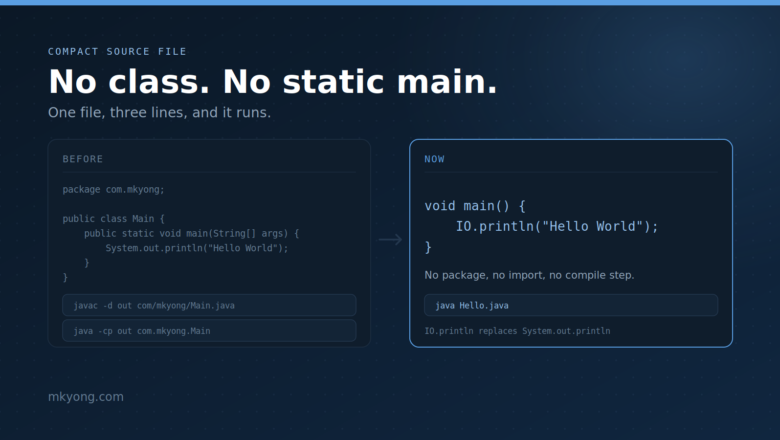
Java Compact Source File: No Class, No Static Main
Java compact source file example – a Java file with no class and no public static void main. Learn instance main methods, the IO class, and the launch order, with full runnable code and real output.
Java compact source file example – a Java file with no class and no public static void main. Learn instance main methods, the IO class, and the launch order, with full runnable code and real output.
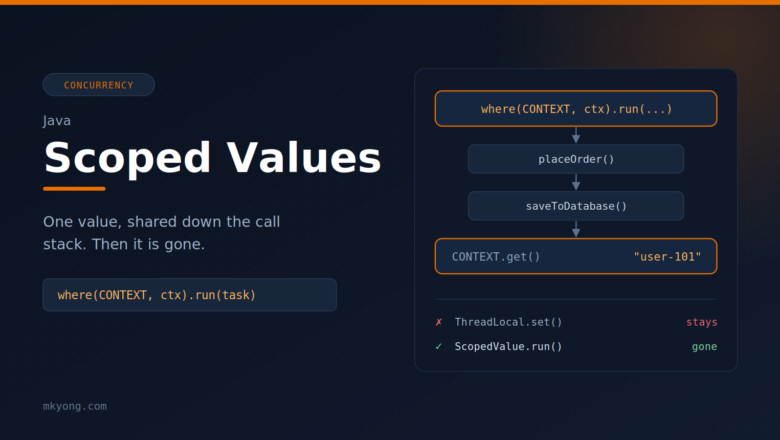
Learn Java scoped values (JEP 506) with simple, runnable examples. See the problem they solve, how other languages do it, and how to share data with callees and child threads without method parameters. Tested with Java 25.
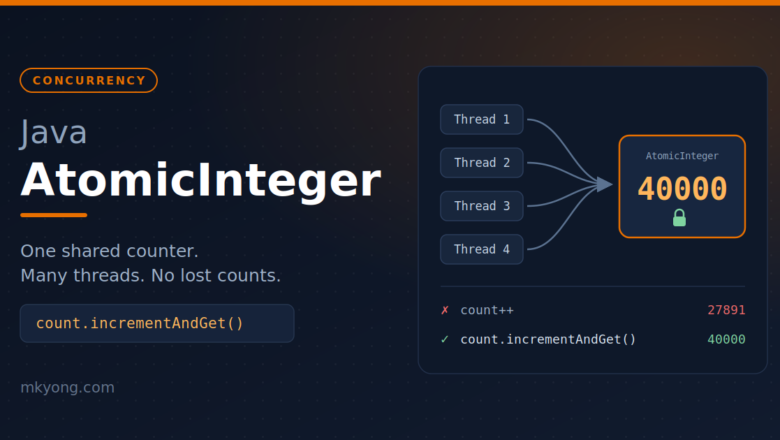
Learn Java AtomicInteger with simple examples, tested on Java 25. See why a normal int breaks with threads, and how incrementAndGet, compareAndSet and updateAndGet fix it.
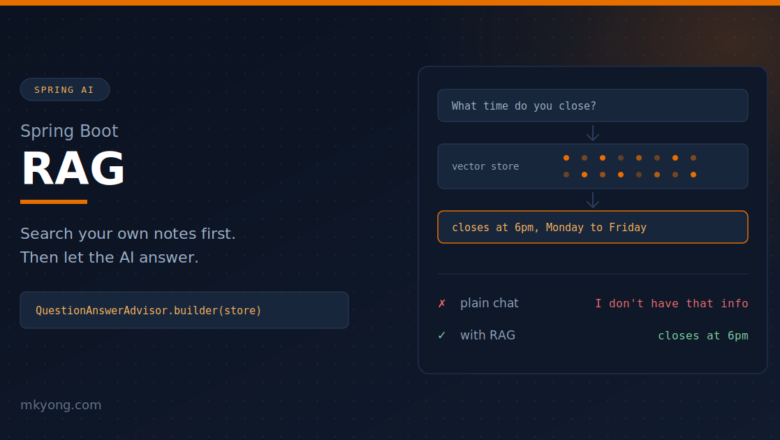
Learn RAG (Retrieval Augmented Generation) in Spring Boot with Spring AI. Load your own notes into a vector store and let the AI answer questions about them.
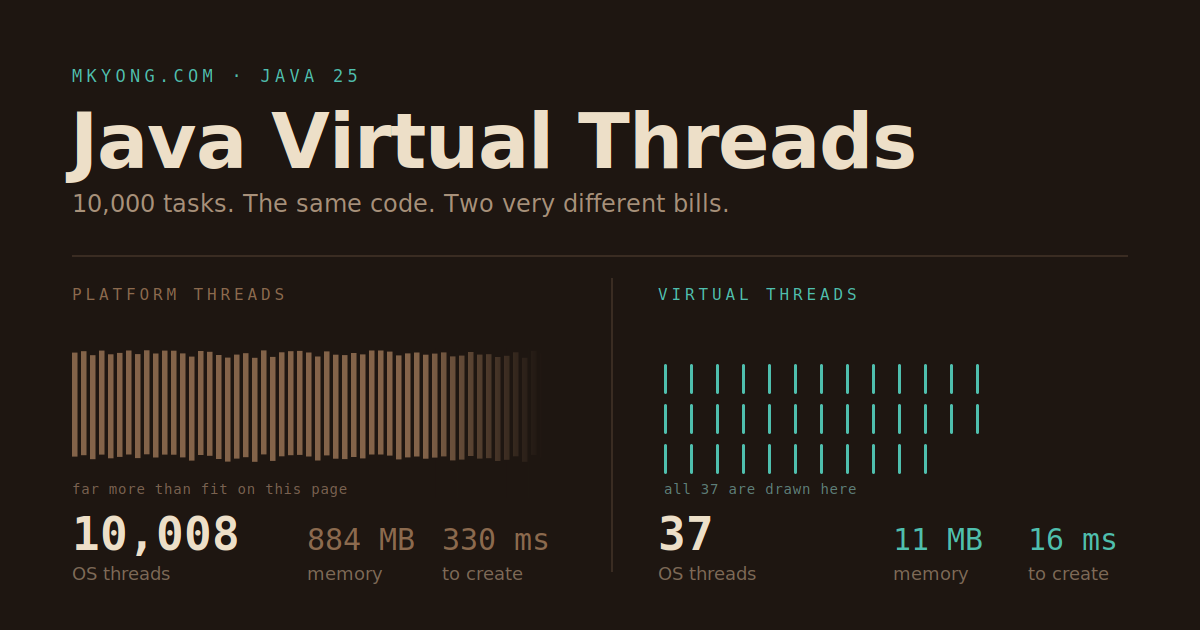
Learn Java virtual threads with simple, runnable examples on Java 25. Start one virtual thread, run 10,000 tasks at once, and see how virtual threads fix a slow thread pool without rewriting your code.
Connect Spring Boot 4.1.0 to a free Supabase PostgreSQL database with Spring Data JPA. Full CRUD REST API, unit tests, and real output.
Learn how to document a Spring Boot REST API with Spring REST Docs. Your tests write the documentation. Full working Book Manager example with code and output.
Learn how to install Java 21 (Oracle and Temurin) on Windows with screenshots and easy-to-follow instructions.
Learn how to create a simple “Hello, World!” application using the Micronaut framework
In this tutorial, we show how to use the Zip4j library for handling ZIP files like adding files and directories, updating existing ZIPs, password protection, and encryption. Table of Content: 1. Adding Zip4j Dependency 2. Creating a ZIP File and Adding Files 3. Adding a Directory to ZIP 4. Adding Files to an Existing ZIP […]
We can use the Java String built-in `replace()` or `replaceAll()` methods to replace spaces with dashes (`-`) easily.
In this article, we’ll learn how to read and write Microsoft Word with the help of Apache POI library. Topics Apache POI – HWPF and XWPF Apache POI dependencies Create a word document Working with Paragraphs, Fonts, and Page breaks Document Header and Footer Add Image Create a table Read and parse document, paragraph, and […]
In this tutorial, we will use the Apache Commons Compress library for handling TAR and GZ compression or tar.gz file. Table of Contents: 1. What is tar.gz? 2. Adding Dependencies 3. Creating a tar.gz File in Java 4. Extracting a tar.gz File in Java 5. Adding Files or Directories to an Existing tar.gz File 6. […]
This article shows how to use JSch library to run or execute a shell script in a remote server via SSH. pom.xml <dependency> <groupId>com.jcraft</groupId> <artifactId>jsch</artifactId> <version>0.1.55</version> </dependency> 1. Run Remote Shell Script This Java example uses JSch to SSH login a remote server (using password), and runs a shell script hello.sh. 1.1 Here is a […]
In Java, we can use String.format or DecimalFormat to format a double, both support Locale based formatting. 1. String.format .2%f For String.format, we can use %f to format a double, review the following Java example to format a double. FormatDouble1.java package com.mkyong.io.utils; import java.util.Locale; public class FormatDouble1 { public static void main(String[] args) { String […]
In Java, we can use DateTimeFormatter to convert the FileTime to other custom date formats. public static String formatDateTime(FileTime fileTime) { LocalDateTime localDateTime = fileTime .toInstant() .atZone(ZoneId.systemDefault()) .toLocalDateTime(); return localDateTime.format( DateTimeFormatter.ofPattern("MM/dd/yyyy HH:mm:ss")); } 1. File Last Modified Time This example displays the last modified time of a file in a custom date format. GetLastModifiedTime.java package […]
The newline character, also called end of line (EOL), line break, line feed, line separator or carriage return, is a control character to tell the end of a line of text, and the next character should start at a new line. On the Windows system, it is \r\n, on the Linux system, it is \n. […]
In Java, we can use the NIO createFile() to assign file permission during file creation. Files.java package java.nio.file; public static Path createFile(Path path, FileAttribute<?>… attrs) throws IOException But, the createFile() fails to assign the group writes file permission to a file on the Unix system? Path path = Paths.get("/home/mkyong/test/runme.sh"); Set<PosixFilePermission> perms = PosixFilePermissions.fromString("rwxrwxrwx"); Files.createFile(path, PosixFilePermissions.asFileAttribute(perms)); […]
For file path or directory separator, the Unix system introduced the slash character / as directory separator, and the Microsoft Windows introduced backslash character \ as the directory separator. In a nutshell, this is / on UNIX and \ on Windows. In Java, we can use the following three methods to get the platform-independent file […]
In Java, we can find the java.security file at the following location: $JAVA_HOME/jre/lib/security/java.security $JAVA_HOME/conf/security For Java 8, and early version, we can find the java.security file at $JAVA_HOME/jre/lib/security/java.security. Terminal $ /usr/lib/jvm/java-8-openjdk-amd64/jre/lib/security$ ls -lsah total 12K 4.0K drwxr-xr-x 3 root root 4.0K Mei 12 11:53 . 4.0K drwxr-xr-x 8 root root 4.0K Mei 12 11:53 .. […]
This article shows you five examples to convert a string into a binary string representative or vice verse. Convert String to Binary – Integer.toBinaryString Convert String to Binary – Bit Masking Convert Binary to String – Integer.parseInt Convert Unicode String to Binary. Convert Binary to Unicode String. 1. Convert String to Binary – Integer.toBinaryString The […]
In Java, we can use Integer.toBinaryString(int) to convert an Integer to a binary string representative. Integer.java public final class Integer extends Number implements Comparable<Integer>, Constable, ConstantDesc { public static String toBinaryString(int i) { return toUnsignedString0(i, 1); } //… } This article will show you two methods to convert an Integer to a binary string representative. […]
In this article, we will show you a few ways to reverse a String in Java. StringBuilder(str).reverse() char[] looping and value swapping. byte looping and value swapping. Apache commons-lang3 For development, always picks the standard StringBuilder(str).reverse() API. For educational purposes, we can study the char[] and byte methods, it involved value swapping and bitwise shifting […]
In Java, we can use Integer.toBinaryString(int) to convert a byte to a binary string representative. Review the Integer.toBinaryString(int) method signature, it takes an integer as argument and returns a String. Integer.java public final class Integer extends Number implements Comparable<Integer>, Constable, ConstantDesc { public static String toBinaryString(int i) { return toUnsignedString0(i, 1); } //… } If […]
Review the following Java example to convert a negative integer in binary string back to an integer type. String binary = Integer.toBinaryString(-1); // convert -1 to binary // 11111111 11111111 11111111 11111111 (two’s complement) int number = Integer.parseInt(binary, 2); // convert negative binary back to integer System.out.println(number); // output ?? The result is NumberFormatException! Exception […]
In Java, Sign extension will kick in if we are doing the following stuff: Widening primitive conversion – Cast from one type to another, which involves increasing the bits of the original type, for example, cast byte (8 bits) to int (32 bits). Bitwise right shift by n bit >> n. The sign extension is […]
In programming, bitwise shift operators, >> means arithmetic right shift, >>> means logical right shift, the differences: >>, it preserves the sign (positive or negative numbers) after right shift by n bit, sign extension. >>>, it ignores the sign after right shift by n bit, zero extension. To work with bitwise shift operators >> and […]
This article will show you a few ways to declare and use a multi-line string in Java. String + String + String StringBuilder String.format StringWriter String.join (Java 8) Files.lines (Java 8) (""") Java 13 and Java 14 text blocks (preview feature) Review an HTML and a JSON string, and we will use the above methods […]
In IntelliJ IDEA, we need to enable this auto-generate serialVersionUID option manually. P.S Tested with IntelliJ IDEA 2019.3.4, it should work the same in other versions. Intellij IDEA Settings File -> Settings -> Editor -> Inspections -> Java -> Serialization issues: Find serialization class without serialVersionUID and check it. Back to the editor, clicks on […]
In Java, we can use SecureRandom.nextBytes(byte[] bytes) to generate a user-specified number of random bytes. This SecureRandom is a cryptographically secure random number generator (RNG). 1. Random 12 bytes (96 bits) 1.1 Generates a random 12 bytes (96 bits) nonce. HelloCryptoApp.java package com.mkyong.crypto; import java.security.SecureRandom; public class HelloCryptoApp { public static void main(String[] args) { […]
This article shows you how to encrypt and decrypt a message with the ChaCha20-Poly1305 algorithm, defined in RFC 7539. P.S The ChaCha20-Poly1305 encryption algorithm is available at Java 11. 1. FAQs Some commonly asked questions: 1.1 What is ChaCha20-Poly1305? ChaCha20-Poly1305 means the ChaCha20 (encryption and decryption algorithm) running in AEAD mode with the Poly1305 authenticator. […]
In this article, we will show you how to encrypt and decrypt a message with the ChaCha20 stream cipher, defined in RFC 7539. P.S ChaCha20 stream cipher is available at Java 11, refer to JEP 329. Note You may interest at this ChaCha20-Poly1305 encryption examples 1. How it works? 1.1 The inputs to ChaCha20 encryption […]
In this example, we will show you how to join and split byte arrays with ByteBuffer and System.arraycopy. ByteBuffer public static byte[] joinByteArray(byte[] byte1, byte[] byte2) { return ByteBuffer.allocate(byte1.length + byte2.length) .put(byte1) .put(byte2) .array(); } public static void splitByteArray(byte[] input) { ByteBuffer bb = ByteBuffer.wrap(input); byte[] cipher = new byte[8]; byte[] nonce = new byte[4]; […]
In Java, we can use ByteBuffer to convert int to byte[] and vice versa. int to byte[] int num = 1; // int need 4 bytes, default ByteOrder.BIG_ENDIAN byte[] result = ByteBuffer.allocate(4).putInt(number).array(); byte[] to int byte[] byteArray = new byte[] {00, 00, 00, 01}; int num = ByteBuffer.wrap(bytes).getInt(); 1. int to byte[] This Java example […]
In Java, transient fields are excluded in the serialization process. In short, when we save an object into a file (serialization), all transient fields are ignored. 1. POJO + transient Review the following Person class; the salary field is transient. public class Person implements Serializable { private static final long serialVersionUID = 1L; private String […]
A few of Java Iterator and ListIterator examples. 1. Iterator 1.1 Get Iterator from a List or Set, and loop over it. JavaIteratorExample1a.java package com.mkyong; import java.util.Arrays; import java.util.Iterator; import java.util.List; public class JavaIteratorExample1a { public static void main(String[] args) { /* Set<Integer> set = new HashSet<>(); set.add(1); set.add(2); set.add(3); set.add(4); set.add(5); Iterator<Integer> iterator = […]
Typically, we use Arrays.asList or the new Java 9 List.of to create a List. However, both methods return a fixed size or immutable List, it means we can’t modify it, else it throws UnsupportedOperationException. JavaListExample.java package com.mkyong; import java.util.Arrays; import java.util.List; public class JavaListExample { public static void main(String[] args) { // immutable list, cant […]
The java.util.Arrays$ArrayList is a nested class inside the Arrays class. It is a fixed size or immutable list backed by an array. Arrays.java public static <T> List<T> asList(T… a) { return new ArrayList<>(a); } /** * @serial include */ private static class ArrayList<E> extends AbstractList<E> implements RandomAccess, java.io.Serializable { private static final long serialVersionUID = […]
This example shows you how to display a percentage % in String.format. JavaStringFormat1.java package com.mkyong; public class JavaStringFormat1 { public static void main(String[] args) { String result = String.format("%d%", 100); System.out.println(result); } } Output Exception in thread "main" java.util.UnknownFormatConversionException: Conversion = ‘%’ at java.base/java.util.Formatter.checkText(Formatter.java:2732) at java.base/java.util.Formatter.parse(Formatter.java:2718) at java.base/java.util.Formatter.format(Formatter.java:2655) at java.base/java.util.Formatter.format(Formatter.java:2609) at java.base/java.lang.String.format(String.java:2897) Solution To display […]
This article shows you how to use the JDK1.5 String.format() and Apache Common Lang to left or right pad a String in Java. 1. String.format By default, the String.format() fills extra with spaces \u0020. Normally, we use replace() to pad with other chars, but it will replace the spaces in between the given string. JavaPadString1.java […]