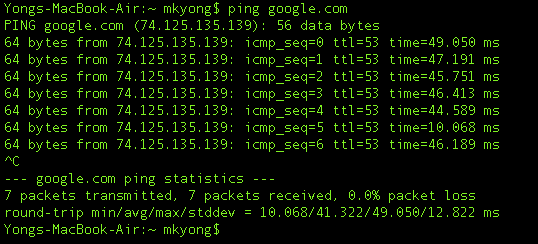
In Java, we can use ProcessBuilder or Runtime.getRuntime().exec to execute external shell command :
1. ProcessBuilder
	ProcessBuilder processBuilder = new ProcessBuilder();

	// -- Linux --

	// Run a shell command
	processBuilder.command("bash", "-c", "ls /home/mkyong/");

	// Run a shell script
	//processBuilder.command("path/to/hello.sh");

	// -- Windows --

	// Run a command
	//processBuilder.command("cmd.exe", "/c", "dir C:\\Users\\mkyong");

	// Run a bat file
	//processBuilder.command("C:\\Users\\mkyong\\hello.bat");

	try {

		Process process = processBuilder.start();

		StringBuilder output = new StringBuilder();

		BufferedReader reader = new BufferedReader(
				new InputStreamReader(process.getInputStream()));

		String line;
		while ((line = reader.readLine()) != null) {
			output.append(line + "\n");
		}

		int exitVal = process.waitFor();
		if (exitVal == 0) {
			System.out.println("Success!");
			System.out.println(output);
			System.exit(0);
		} else {
			//abnormal...
		}

	} catch (IOException e) {
		e.printStackTrace();
	} catch (InterruptedException e) {
		e.printStackTrace();
	}
2. Runtime.getRuntime().exec()
	try {

		// -- Linux --

		// Run a shell command
		// Process process = Runtime.getRuntime().exec("ls /home/mkyong/");

		// Run a shell script
		// Process process = Runtime.getRuntime().exec("path/to/hello.sh");

		// -- Windows --

		// Run a command
		//Process process = Runtime.getRuntime().exec("cmd /c dir C:\\Users\\mkyong");

		//Run a bat file
		Process process = Runtime.getRuntime().exec(
				"cmd /c hello.bat", null, new File("C:\\Users\\mkyong\\"));

		StringBuilder output = new StringBuilder();

		BufferedReader reader = new BufferedReader(
				new InputStreamReader(process.getInputStream()));

		String line;
		while ((line = reader.readLine()) != null) {
			output.append(line + "\n");
		}

		int exitVal = process.waitFor();
		if (exitVal == 0) {
			System.out.println("Success!");
			System.out.println(output);
			System.exit(0);
		} else {
			//abnormal...
		}

	} catch (IOException e) {
		e.printStackTrace();
	} catch (InterruptedException e) {
		e.printStackTrace();
	}

}
3. PING example
An example to execute a ping command and print out its output.
ProcessBuilderExample1.java
import java.io.BufferedReader;
import java.io.IOException;
import java.io.InputStreamReader;

public class ProcessBuilderExample1 {

    public static void main(String[] args) {

        ProcessBuilder processBuilder = new ProcessBuilder();
        // Windows
        processBuilder.command("cmd.exe", "/c", "ping -n 3 google.com");

        try {

            Process process = processBuilder.start();

            BufferedReader reader =
                    new BufferedReader(new InputStreamReader(process.getInputStream()));

            String line;
            while ((line = reader.readLine()) != null) {
                System.out.println(line);
            }

            int exitCode = process.waitFor();
            System.out.println("\nExited with error code : " + exitCode);

        } catch (IOException e) {
            e.printStackTrace();
        } catch (InterruptedException e) {
            e.printStackTrace();
        }

    }

}
Output
Pinging google.com [172.217.31.78] with 32 bytes of data:
Reply from 172.217.31.78: bytes=32 time=13ms TTL=55
Reply from 172.217.31.78: bytes=32 time=7ms TTL=55
Reply from 172.217.31.78: bytes=32 time=6ms TTL=55

Ping statistics for 172.217.31.78:
    Packets: Sent = 3, Received = 3, Lost = 0 (0% loss),
Approximate round trip times in milli-seconds:
    Minimum = 6ms, Maximum = 13ms, Average = 8ms

Exited with error code : 0
Note
More Java ProcessBuilder examples
More Java ProcessBuilder examples
4. HOST Example
Example to execute shell command host -t a google.com to get all the IP addresses that attached to google.com. Later, we use regular expression to grab all the IP addresses and display it.
P.S “host” command is available in *nix system only.
ExecuteShellComand.java
package com.mkyong.shell;
import java.io.BufferedReader;
import java.io.InputStreamReader;
import java.util.ArrayList;
import java.util.List;
import java.util.regex.Matcher;
import java.util.regex.Pattern;
public class ExecuteShellComand {
private static final String IPADDRESS_PATTERN = "([01]?\\d\\d?|2[0-4]\\d|25[0-5])"
+ "\\.([01]?\\d\\d?|2[0-4]\\d|25[0-5])"
+ "\\.([01]?\\d\\d?|2[0-4]\\d|25[0-5])"
+ "\\.([01]?\\d\\d?|2[0-4]\\d|25[0-5])";
private static Pattern pattern = Pattern.compile(IPADDRESS_PATTERN);
private static Matcher matcher;
public static void main(String[] args) {
ExecuteShellComand obj = new ExecuteShellComand();
String domainName = "google.com";
String command = "host -t a " + domainName;
String output = obj.executeCommand(command);
//System.out.println(output);
List<string> list = obj.getIpAddress(output);
if (list.size() > 0) {
System.out.printf("%s has address : %n", domainName);
for (String ip : list) {
System.out.println(ip);
}
} else {
System.out.printf("%s has NO address. %n", domainName);
}
}
private String executeCommand(String command) {
StringBuffer output = new StringBuffer();
Process p;
try {
p = Runtime.getRuntime().exec(command);
p.waitFor();
BufferedReader reader =
new BufferedReader(new InputStreamReader(p.getInputStream()));
String line = "";
while ((line = reader.readLine())!= null) {
output.append(line + "\n");
}
} catch (Exception e) {
e.printStackTrace();
}
return output.toString();
}
public List<string> getIpAddress(String msg) {
List<string> ipList = new ArrayList<string>();
if (msg == null || msg.equals(""))
return ipList;
matcher = pattern.matcher(msg);
while (matcher.find()) {
ipList.add(matcher.group(0));
}
return ipList;
}
}
</string></string></string></string>Output
google.com has address :
74.125.135.x
74.125.135.x
74.125.135.x
74.125.135.x
74.125.135.x
74.125.135.x

Now..How do I do this – execute shell command from java – from in-app text (i.e. via link)?
I want to link existing text, in an app, to ‘ test.sh ‘, but am having issue making the link. The .sh only contains one line of shell script ( a simple ‘ pm enable {packagename} ‘ command ). Would it be easier to put the command somewhere, or use the ‘ test.sh ‘ var?
The best option is to make a link from text in an existing app (decompiled and manipulated in .smali dorm, via ‘APKEditor)… This was posted on a couole of sites, without solution.
Hope you can help; cheers!
Hello,
When i run java from terminal than my shell command executes. However when I make execuable jar the shell comand from java doesno’t executes. Please help.
hey, a bit of context: I am implementing a java library which is used as .jar inside an android project. So the phone is connected over usb to customized android device. Already working, I have other functions doing some other job.
This function is to send a file to the customized android device, using adb push command.
adb push file_path destination_path
but it seems not to work, do you have some idea? I appreciate your feedback
I am not able to execute stat command while fetching date of the file in Java code
I want to connect to DB in unix using java application and i have requirement while trying to connect with go to some specific location and then run java connection code ?
Coudl you please help me on this ?
I am trying to run a python script but it gives me error even if works in the terminal i am running from terminal in the same directory with java what problem can be it says file not found but it works in terminal
Hi ,
i want to write a java class which will be deployed on a server .java class has to perform
1.listing out docker containers and login to particular docker image.
2.after logging it has to execute two commands in docker image
can anyone please help
I try to run a bat file which contain a “pause” command, that lock the java thread.
I need to execute a custom unix command to run a process and it will take around 10sec for the process to run. How to do it.
The Process.waitFor() statement should instead be invoked after the BufferedReader finishes reading the input stream of the Process. This fixes an issue I am having here: the program stucks and never returns but the actual command in my Mac Terminal exits within a second.
Another tip is that it is better to use Process.waitFor(long, TimeUnit) to prevent that the Java program hangs.
As an additional remark, using Process.waitFor(long, TimeUnit) isn’t the complete solution. In my case, the command never returns and it does not print anything in Terminal.
In this case, the BufferedReader.readLine() causes the program to hang. It seems that adding an if condition to check BufferedReader.ready() before BufferedRader.readLine() can solve the issue.
I also find that I will need to have Process.waitFor() statement invoked BEFORE the BufferedReader reads the input stream of the Process if I have BufferedReader.ready() added.
Hello,
I want to execute 2 commands in a sequence.
1. cd D://
2. java -jar -role hub
I tried below code but it tries to execute jar file first and then cd :
ProcessBuilder builder = new ProcessBuilder(“cmd”,”/c”,”start”,”cmd.exe”,”/K”, “java -jar -role hub && cd \”D:\\””);
builder.redirectErrorStream(true);
Process p = builder.start();
any suggestion for first cd should get execute and then .jar?
please read D://foldername and java -jar jarFile
I used the same (similar) code for my ShellWrapper. When I use commands like echo it works fine, but when I use commands like cat it returns an empty String….
processBuilder.command(“bash”, “-c”, “cat /home/mkyong/web.log”);
processBuilder.command(“bash”, “-c”, “cat /home/mkyong/web.log”);
works fine, but when I pipe a string to Java process, then the
processBuilder.command(“bash”, “-c”, “cat /dev/stdin”);
will just hang.
can you please share your code using LS EAT AND Cat please
As a good practice, I wouldn’t catch Exception e. Just mention the two that need to be dealt with (IOException, InterruptedException) .
Where do I download the shell package?
To your own machine. lol
I am trying to convert avro to json file through java, But it is not working
String output = obj.executeCommand(“java -jar /Users/xyz/Desktop/1server/jboss-as-7.1.1.Final/standalone/deployments/Command.war/WEB-INF/lib/avro-tools-1.7.7.jar tojson /Users/xyz/Desktop/avro/4.avro > /Users/xyz/Desktop/avro/D8EC9CC2A3E049648AFD4309B29D2A0F/4.json”);
But this is not working through java file,
I ran same command through terminal, avro is converted to json
Can you help me to run “java -jar * ” command
Did you find the solution for this ?
let’s say we type ‘mysql’ in command prompt.
c:mysql
then the prompt changes to:
mysql>
now in this we type sql commands.
Can we achieve/automate this with java?
mysql [ARGS] < SCRIPT and you're done. No need to fall into the interactive shell.
Why commands with pattern don’t work? Example: uptime | sed “s/^.* up \+\(.\+\), \+[0-9] user.*$/\1/”
The article would be even better with a note on how to run a shell file sitting in the resources directory.
Thanks for the jump start anyway !
I really like your articles on Java. For this one i guess i could not do as mentioned. I googled and figured out that you need to first connect to the linux box from java and then you can execute shell commands. I could not make the Linux commands run from Java which is on Windows using this code.
Hi How can we add Timeout ?
If I want to check my java version on Mac, I used the “PING” example and replaced the command string with my value i.e. String command = “java -version”;
but the command does not get executed at all. Can you please let me know what am I missing?
GOOOOOD
Mkyong your tutorials are always straight to the point, bravo.
Hi I am trying to create a Terminal Emulator for Linux using Java… Can you help me by giving a direction..
Thanks in advance…
Access denied. Option -c requires administrative privileges. —-how to fix admin issue on windows 8.1
ok i got it had to read -n yea, thanks
Using array parameter is better, because…when some parameter has blank ( ex. “ABC DE” ) it will be treated as 2 parameters…
Array parameter is more safe… 🙂
Sorry…english is not my mother tongue…
The following code allows you to set a timer, restart the timer on keywords, and specify if you want it to be sent to your log or not. This prevents several problems I’ve run into while programming on the command line.
The method is complex, very complex, but it works well and avoids loops in favor of waiting for a synchronized notification whenever possible. It uses three threads. The main thread launches the application and waits. The reader thread processes whatever comes out of the application. The watchdog thread monitors for timeout and gets kicked by the reader thread to restart the timer whenever a keyword is detected.
public String timeoutValueCheckingShellCommand(final String[] cmd, final String[] restartTimerKeywords, final int timeout,final boolean logLevel2) {
StringBuilder sb = new StringBuilder();
try {
ProcessBuilder p = new ProcessBuilder(cmd);
p=p.redirectErrorStream(true);
final Process process = p.start();
/*
TimeoutLogger is a place to hold a common object for use through
the various threads. It is used for logging of data, locking the
main thread on the processRunning object, timeout status and
monitoring of if the thread is alive or not.
*/
class TimeoutLogger {
TimeoutLogger(boolean realtime,Process p){
this.realtime=realtime;
this.processRunning=p;
}
boolean realtime;
private final StringBuilder log = new StringBuilder();
AtomicBoolean timedOut = new AtomicBoolean(false);
AtomicBoolean isRunning = new AtomicBoolean(true);
final Object isRunningLock=new Object();
AtomicBoolean isLogging = new AtomicBoolean(true);
final Object isLoggingLock=new Object();
final Process processRunning;
final Timer watchDogTimer = new Timer(timeout, new ActionListener() {
@Override
public void actionPerformed(ActionEvent evt) {
Log.level4Debug(“Watchdog Triggered! Command timed out.”);
timedOut.set(true);
synchronized (processRunning) {
processRunning.notifyAll();
}
}
});
synchronized void log(char c){
log.append(c);
if (realtime){
Log.progress(Character.toString(c));
String logstring=log.toString();
for (String check:restartTimerKeywords){
if (logstring.endsWith(check) && isRunning.get()){
Log.level4Debug(“Timer Reset on keyword “+check);
watchDogTimer.restart();
}
}
}
}
synchronized String get(){
return log.toString();
}
}
final TimeoutLogger tl = new TimeoutLogger(logLevel2,process);
/*if the watchDogtimer elapses, the timedOut boolean is set true
and the processRunning object is notified to release main process
wait.
*/
/*notify the processRunning object when the thread is complete to
release the lock.
*/
Thread processMonitor = new Thread(new Runnable() {
@Override
public void run() {
try {
tl.processRunning.waitFor();
tl.watchDogTimer.stop();
tl.isRunning.set(false);
Log.level4Debug(“Process Monitor done.”);
synchronized (tl.processRunning) {
tl.processRunning.notifyAll();
}
} catch (InterruptedException ex) {
Logger.getLogger(Shell.class.getName()).log(Level.SEVERE, null, ex);
}
}
});
processMonitor.setName(“Monitoring Process Exit Status from ” + cmd[0]);
/*
reads the output and restarts the timer if required.
*/
Thread reader = new Thread(new Runnable() {
@Override
public void run() {
BufferedInputStream STDOUT = new BufferedInputStream(tl.processRunning.getInputStream());
Log.level4Debug(“Instantiating reader process”);
try {
while(tl.isRunning.get()&& !tl.timedOut.get()){
if(STDOUT.available()>0){
char read=(char)STDOUT.read();
tl.log(read);
}
}
tl.watchDogTimer.stop();
Thread.sleep(100);
while(STDOUT.available()>0){
char read=(char)STDOUT.read();
tl.log(read);
}
tl.isLogging.set(false);
synchronized (tl.processRunning){
tl.processRunning.notifyAll();
}
} catch (IOException ex) {
Logger.getLogger(Shell.class.getName()).log(Level.SEVERE, null, ex);
} catch (InterruptedException ex) {
Logger.getLogger(Shell.class.getName()).log(Level.SEVERE, null, ex);
}
}
});
reader.setName(“Reading and monitoring output from ” + cmd[0]);
//start the monitoring objects
reader.start();
tl.watchDogTimer.start();
processMonitor.start();
synchronized (tl.processRunning){
tl.processRunning.wait();
}
if (tl.isLogging.get()){
synchronized(tl.processRunning){
tl.processRunning.wait();
}
}
String retvalue = tl.get();
//kill the process
if (tl.timedOut.get()) {
retvalue = “Timeout!!! ” + retvalue;
process.destroy();
}
return retvalue;
} catch (IOException ex) {
Logger.getLogger(Shell.class.getName()).log(Level.SEVERE, null, ex);
} catch (InterruptedException ex) {
Logger.getLogger(Shell.class.getName()).log(Level.SEVERE, null, ex);
}
return “”;
}
Hi Adam,
You code is interesting, but without any exemples it is a bit unusable.
First of all, from witch package does Log class come’s from ? I haven’t found any corresponding today.
PS : I past all the day to study your code.
Classic vulnerability 🙂
Thanks a lot for another excellent tutorial Mr.Yong. The most reliable website…!!
You can also use
ProcessBuilder pb = new ProcessBuilder(computeCommandLine()); pb.directory(workingDirectory); Map<String, String> env = pb.environment(); env.put("VAR1", "myValue"); env.remove("OTHERVAR"); env.put("VAR2", env.get("VAR1") + "suffix"); Process p = pb.start(); ...Thanks, article is updated with ProcessBuilder APIs
Please help me…
java.io.IOException: Cannot run program “host”: CreateProcess error=2, The system cannot find the file specified
at java.lang.ProcessBuilder.start(ProcessBuilder.java:1029)
at java.lang.Runtime.exec(Runtime.java:615)
at java.lang.Runtime.exec(Runtime.java:448)
at java.lang.Runtime.exec(Runtime.java:345)
at com.levanlong.demo.file.inputstream.IpAddress.main(IpAddress.java:34)
Caused by: java.io.IOException: CreateProcess error=2, The system cannot find the file specified
at java.lang.ProcessImpl.create(Native Method)
at java.lang.ProcessImpl.(ProcessImpl.java:188)
at java.lang.ProcessImpl.start(ProcessImpl.java:132)
at java.lang.ProcessBuilder.start(ProcessBuilder.java:1021)
… 4 more
“host” is a command available in most *nix systems. Make sure your system has installed it.
I have a similar error. I ran it on windows 7 and got same erroe message.
How, sir, can I resolve the problem?
ERROR:
java.io.IOException: Cannot run program “host”: CreateProcess error=2, The system cannot find the file specified
at java.lang.ProcessBuilder.start(ProcessBuilder.java:459)
at java.lang.Runtime.exec(Runtime.java:593)
at java.lang.Runtime.exec(Runtime.java:431)
at java.lang.Runtime.exec(Runtime.java:328)
at javaClasses.ExecuteShellCommand.main(ExecuteShellCommand.java:37)
Caused by: java.io.IOException: CreateProcess error=2, The system cannot find the file specified
at java.lang.ProcessImpl.create(Native Method)
at java.lang.ProcessImpl.(ProcessImpl.java:81)
at java.lang.ProcessImpl.start(ProcessImpl.java:30)
at java.lang.ProcessBuilder.start(ProcessBuilder.java:452)
… 4 more
BUILD SUCCESSFUL (total time: 2 seconds)
Do you even read the stack trace?!!! It clearly mentions that host cannot be found, and the previous post mentions host is available on *nix based platforms -> Linux, Unix. OS X is a Unix based system. Windows is not!!!
when i’m executing the c++ dll i’m getting the above error. I am unable to think why am i getting this error. the dll consists of code which generates a graphical window. mkyong plz help me in this issue…
Thanks
Raghavendra
Suggestion to try displaying a very simple message box first in dll in order to determine if you gui has the error and not the code. If this works, then the problem is in your graphical window and not the dll or java. Try this:
// buffer256 is declared in header file or cpp file.
static char buffer256[256]; // Generic buffer
// put code below in function in cpp file.
strcpy_s(buffer256, 256, “You are in C++ dll.”);
::MessageBoxA(NULL, buffer256, “Message from MyDll.dll”, 0);
Tip: when working with strings in dll’s, I found that using a char buffer declared in a header file and using it instead of creating and destroying strings in functions eliminated an intermittent bug reported from the Window’s ntdll.dll.