In Eclipse, to import a single class, you may clicked on the class and press shortcut key “Ctrl + Space” to prompt all the available classes to import. However, if you copied a Java source code from somewhere and more than 20+ classes are not import, are you going to press “Ctrl + Space” one by one?
In above situation, Eclipse comes with a nice feature called “Organize Imports” to imports all the classes that are used, automatically.
A copied source code without imports.
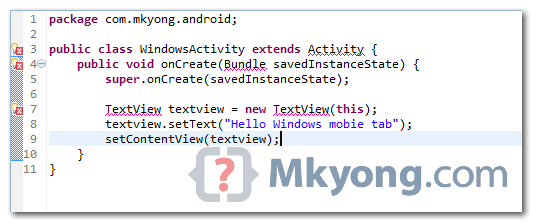
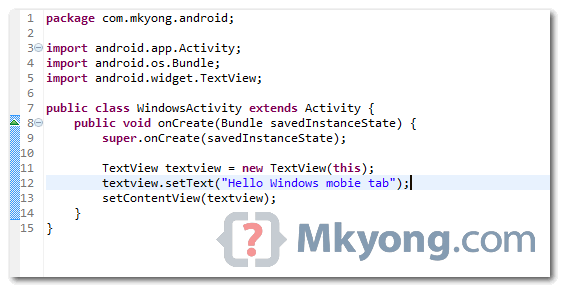
To import above classes automatically, you can select “Source” > “Organize Imports” or press shortcut “Ctrl + Shift + O“. See result :

This doesn’t work for me. I get the “java.lang.IllegalArgumentException: Sources must not be empty” exception and Tomcat crashes when running this as a regular java application 🙁
Sorry. Clicked on the wrong tab this is meant for somewhere else.
This feature it was available in older eclipse versions, but in oxygen 4.7 it is not longer available, i must go to “Source” > “Organize Imports”
sir which class is available to all the class automatically
It worked once but now instead of adding it just re-organzes my imports… any help?
Doesn’t work for me. The imports are not added.
Thanks, it helped!