In JSF 2.0, you can attach a javax.faces.event.PreRenderViewEvent system event to perform custom task before a view root (JSF page) is display.
Let see a complete PreRenderViewEvent example below :
1. Managed Bean
Create a normal bean, contains a method signature “public void method-name(ComponentSystemEvent event)“, later you will ask listener to call this method.
In this method, it validate “role” in the current session, if the role is NOT equal to “admin“, then navigate it to outcome “access-denied“.
package com.mkyong;

import javax.faces.application.ConfigurableNavigationHandler;
import javax.faces.bean.ManagedBean;
import javax.faces.bean.SessionScoped;
import javax.faces.context.FacesContext;
import javax.faces.event.ComponentSystemEvent;

@ManagedBean(name="user")
@SessionScoped
public class UserBean{

  public void isAdmin(ComponentSystemEvent event){

	FacesContext fc = FacesContext.getCurrentInstance();

	if (!"admin".equals(fc.getExternalContext().getSessionMap().get("role"))){

		ConfigurableNavigationHandler nav
		   = (ConfigurableNavigationHandler)
			fc.getApplication().getNavigationHandler();

		nav.performNavigation("access-denied");
	}
  }
}
2. JSF Page
Now, you use f:event tag to attach “preRenderView” system event to “default.xhtml” page.
default.xhtml
<?xml version="1.0" encoding="UTF-8"?>
<!DOCTYPE html PUBLIC "-//W3C//DTD XHTML 1.0 Transitional//EN"
"http://www.w3.org/TR/xhtml1/DTD/xhtml1-transitional.dtd">
<html xmlns="http://www.w3.org/1999/xhtml"
      xmlns:h="http://java.sun.com/jsf/html"
      xmlns:f="http://java.sun.com/jsf/core"
      >

 	<f:event listener="#{user.isAdmin}" type="preRenderView" />

	<h:body>

	    <h1>JSF 2 protected page example</h1>

	</h:body>

</html>
access-denied.xhtml
<?xml version="1.0" encoding="UTF-8"?>
<!DOCTYPE html PUBLIC "-//W3C//DTD XHTML 1.0 Transitional//EN"
"http://www.w3.org/TR/xhtml1/DTD/xhtml1-transitional.dtd">
<html xmlns="http://www.w3.org/1999/xhtml"
      xmlns:h="http://java.sun.com/jsf/html"
      >

    <h:body>

    	<h1>Access Denied!</h1>

    </h:body>

</html>
3. Demo
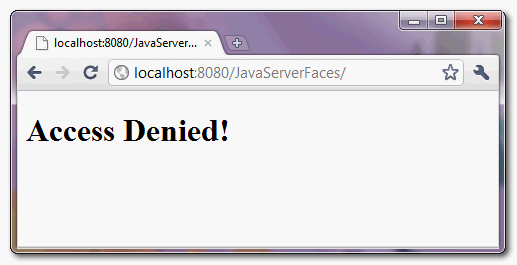
Access this page “default.xhtml“, since there is no “role” value in session object, so JSF will navigate to another page “access-denied.xhtml“.

EXCELENTE !! justo lo que buscaba
Is the best phase to validate this the preRenderView?
Thank you very much. This is cool. Nice tutorial.
Just wondering, does this work with @Autowired?
If I have a Bean
@Autowired
UserService userService;
will my Service bean be init, or will it still be null (as it is when using @PostConstruct)
MB
Yes it does!
This is exactly what I have been looking for.
PS: Another good trick
wrap your preRenderView method with this
if (!FacesContext.getCurrentInstance().isPostback()) {
…
}
and the code wont be ran if you are posting back from a h:commandButton or something.
Hi,
there is a way for verify permission of user that is logged in application? I want to do this on every single action/actionListener calls.
For example, I want check permissions of an user that throw an event (submit or f:ajax event) client side and, before call the corresponding Action/Action Listener server side, verify if user have previleges for call it. I don’t want a global way to do this.
it wasn’t working for me but i add and it worked
<f:metadata> <f:event listener="#{navigationBean.isConnected}" type="preRenderView" /> </f:metadata>Hello,
when using preRenderView with redirect, the page returns jsf code not html;
below is my code;
<f:event type="preRenderView" listener="#{usersController.checkAuthentication()}" />public void checkAuthentication(){ if(!getisloggedin()){ try { FacesContext.getCurrentInstance().getExternalContext().redirect("Login.xhtml"); } catch (Exception e) { JsfUtil.addSuccessMessage("Error occured while redirecting."); } } }the above code will return the actual jsf code of Login.xhtml in browser.
What is getisloggedin() in the code ?
Not working when accessing directly from
URL: http://localhost:8080/JavaServerFaces/default.xhtml
JSF: MyFaces 2.1.1
you should not access the xhtml pages directly you access like this then there wont be a problem “default.jsf”