In JSF, you can use the <h:inputSecret /> tag to render a HTML input of type=”password”, password field. For example,
JSF tag…
<h:inputSecret />
Render this HTML code…
<input type="password" name="j_idt6:j_idt7" />
P.S The name attribute value is randomly generated by JSF.
JSF password example
A full JSF 2 example to render a password input field via <h:inputSecret /> tag.
1. Managed Bean
A simple managed bean, with a “password” property.
package com.mkyong.form;

import javax.faces.bean.ManagedBean;
import javax.faces.bean.SessionScoped;
import java.io.Serializable;

@ManagedBean
@SessionScoped
public class UserBean implements Serializable {

	private String password;

	public String getPassword() {
		return password;
	}

	public void setPassword(String password) {
		this.password = password;
	}

}
2. View Page
Two pages for the demonstration.
demo.xhtml – render a password field via “h:inputSecret”, button via “h:commandButton”, if the button is clicked, password value will be submitted to the “userBean.password’ property via setPassword() method, and forward to “user.xhtml”.
<?xml version="1.0" encoding="UTF-8"?>
<!DOCTYPE html PUBLIC "-//W3C//DTD XHTML 1.0 Transitional//EN"
"http://www.w3.org/TR/xhtml1/DTD/xhtml1-transitional.dtd">
<html xmlns="http://www.w3.org/1999/xhtml"
      xmlns:h="http://java.sun.com/jsf/html">

    <h:body>
    	<h1>JSF 2 password example</h1>

	  <h:form>
    		Password : <h:inputSecret value="#{userBean.password}" />
    		<h:commandButton value="Submit" action="user" />
    	  </h:form>

    </h:body>
</html>
user.xhtml – display the submitted password value via “h:outputText”
<?xml version="1.0" encoding="UTF-8"?>
<!DOCTYPE html PUBLIC "-//W3C//DTD XHTML 1.0 Transitional//EN"
"http://www.w3.org/TR/xhtml1/DTD/xhtml1-transitional.dtd">
<html xmlns="http://www.w3.org/1999/xhtml"
      xmlns:h="http://java.sun.com/jsf/html">

    <h:body>
    	<h1>JSF 2 password example</h1>

	  Password : <h:outputText value="#{userBean.password}" />

    </h:body>
</html>
3. Demo
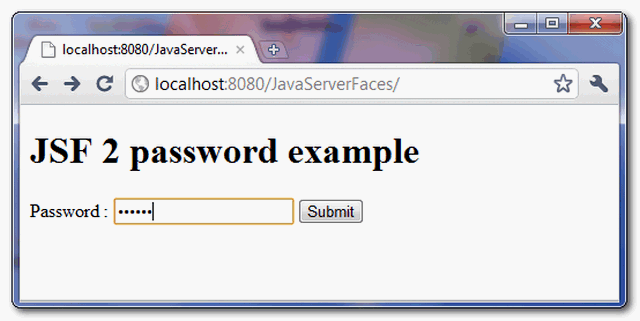
URL : http://localhost:8080/JavaServerFaces/
Display “demo.xhtml” page
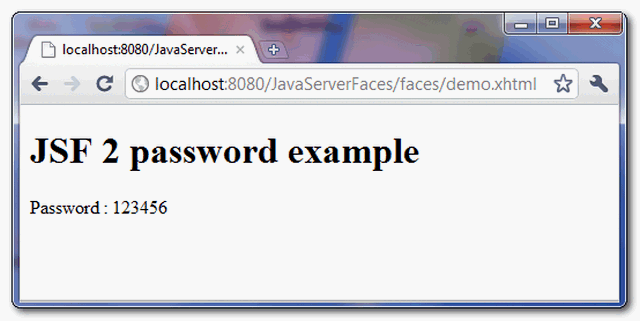
If the button is clicked, display “user.xhtml” page, and also the submitted password value.

how disabled the copy paste in the component???
Hi Lewis, did you get the answer you were looking for? I’m also looking to do the same thing
I made with js
I truly love your blog.. Great colors & theme.
Did you create this site yourself? Please reply back
as I’m planning to create my own website and would love to learn where you got this from or just what the theme is named. Kudos!
Hi, yup this article is really nice and I have learned lot
of things from it concerning blogging. thanks.