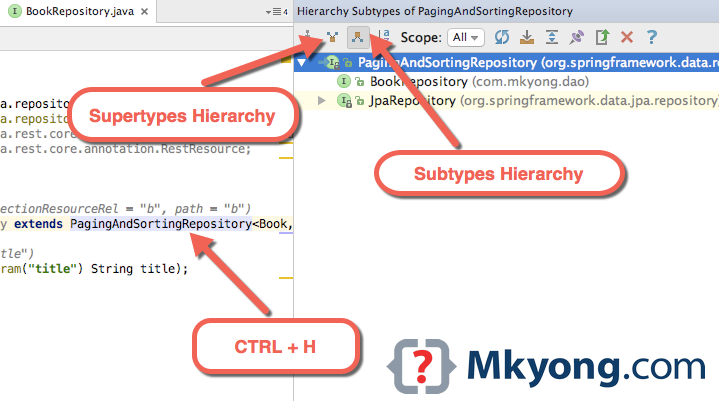
CTRL + H is IDEA equivalent of Eclipse show class hierarchy. Clicks on a class and press CTRL + H, it will display the subtypes hierarchy of the class.
1. Windows or & *nix = CTRL + H
2. Mac OSX Control + H
CTRL + H is IDEA equivalent of Eclipse show class hierarchy. Clicks on a class and press CTRL + H, it will display the subtypes hierarchy of the class.
1. Windows or & *nix = CTRL + H
2. Mac OSX Control + H
Was this article helpful?

Actually, they are not identical.
The IntelliJ CTRL-H opens a dialogue which doesn’t disappear after I selected an implementation, even after pressing ESC. I have to use the mouse to make it disappear, just what I wanted to avoid.
The Eclipse implementation is better when working only with the keyboard.
Well, actually they are not Identical.
The actual “action” is “Choose Implementation” , and it’s not binded yet (for “Eclipse on Mac OSX”).
I would recommend to bind it to Command+T , to be similar to Ctrl+T on Windows/Linux.
(besides, the Command+H on my Macbook maps to some shortcut keys of the OS, it switches to next Window (similar to Alt+Tab, but just forwards)