Problem
After upgrading from Windows 8 Enterprise to Windows 8.1, Google Chrome displays pink color screen like this :
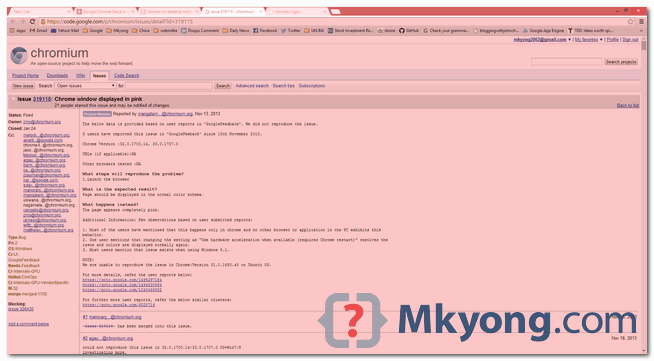
Windows Environment
- Chrome 34.0.1847.137 m
- Windows 8.1
- NVIDIA 331.58
- Chrome GPU : NVIDIA 9.18.13.3158
To get the Chrome GPU, type chrome://gpu in the browser URL, refer to the driver version.
Driver vendor	NVIDIA
Driver version	9.18.13.3523
Note
If “Relaunch Chrome in Windows 8 mode”, the pink overlay screen is gone. This “pink color screen” is displayed in “Desktop mode” only.
If “Relaunch Chrome in Windows 8 mode”, the pink overlay screen is gone. This “pink color screen” is displayed in “Desktop mode” only.
Solution
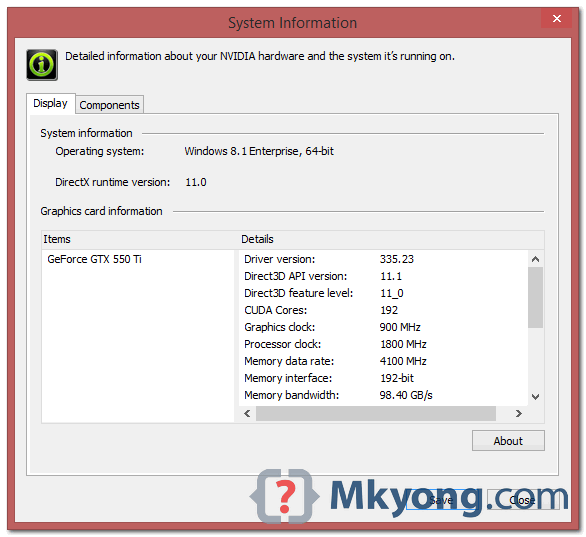
This is caused by the old NVIDIA driver, to fix it, upgrade to the latest NVIDIA driver, for example version 335.23, released date on 3/10/2014 or newer.
Figure : NVIDIA Control Panel, system information, driver version : 335.23
Chrome GPU, chrome://gpu
Driver vendor	NVIDIA
Driver version	9.18.13.3158
Done.

my google chrome, google play store, google calendar are all in pink colour, i need help. My phone name is iqoo7 legend
chrome://flags
Set the below to DISABLED will fix this problem
Tint GL-composited content
Tint contents composited using GL with a shade of red to help debug and study overlay support. – Mac, Windows, Linux, Chrome OS, Android
#tint-gl-composited-content
I just fixed it right click start button, settings, main menu. Scroll down to overide glass colour and change it to the 2nd option. Problem solved
Or you can just turn off hardware acceleration in Goggle – setting/advanced