RESTEasy, is required JAXB to support XML file. In this tutorial, we show you how to create an “user” object, convert it into XML file, and return it back to the client.
1. RESTEasy + JAXB
To use JAXB in RESTEasy, you need to include the “resteasy-jaxb-provider.jar” dependency.
File : pom.xml
  <repositories>
	<repository>
		<id>JBoss repository</id>
		<url>https://repository.jboss.org/nexus/content/groups/public-jboss/</url>
	</repository>
  </repositories>

  <dependencies>

	<dependency>
		<groupId>org.jboss.resteasy</groupId>
		<artifactId>resteasy-jaxrs</artifactId>
		<version>2.2.1.GA</version>
	</dependency>

	<dependency>
		<groupId>org.jboss.resteasy</groupId>
		<artifactId>resteasy-jaxb-provider</artifactId>
		<version>2.2.0.GA</version>
	</dependency>

  </dependencies>
2. JAXB XML Provider
Create an object, annotate with JAXB annotation to support XML file conversion.
import javax.xml.bind.annotation.XmlAttribute;
import javax.xml.bind.annotation.XmlElement;
import javax.xml.bind.annotation.XmlRootElement;

@XmlRootElement(name = "user")
public class User {

	String username;
	String password;
	int pin;

	@XmlElement
	public String getUsername() {
		return username;
	}

	public void setUsername(String username) {
		this.username = username;
	}

	@XmlElement
	public String getPassword() {
		return password;
	}

	public void setPassword(String password) {
		this.password = password;
	}

	@XmlAttribute
	public int getPin() {
		return pin;
	}

	public void setPin(int pin) {
		this.pin = pin;
	}

}
With JAXB annotation, above object will convert it into following XML format.
  <user pin="value">
	<password>value</password>
	<username>value</username>
  </user>
3. JAX-RS
To return a XML file, annotate the service method with @Produces("application/xml"). RESTEasy will convert the JAXB annotated object into XML file, and return back to the client.
import javax.ws.rs.GET;
import javax.ws.rs.Path;
import javax.ws.rs.Produces;

@Path("/xml/user")
public class XMLService {

	@GET
	@Path("/get")
	@Produces("application/xml")
	public User getUserInXML() {

		User user = new User();
		user.setUsername("mkyong");
		user.setPassword("password");
		user.setPin(123456);

		return user;

	}

}
3. Demo
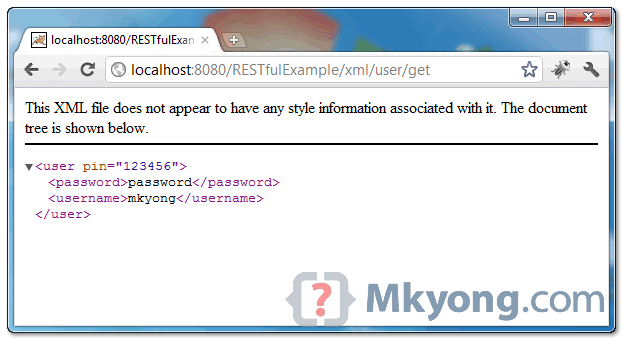
When URI pattern “/xml/user/get” is requested, following XML file will be returned.
<user pin="123456">
	<password>password</password>
	<username>mkyong</username>
</user>
Download Source Code
Download it – JAX-RS-Download-XML-JAXB-Example.zip (7 KB)

I didn’t know that I have to put JAXB XML annotation into my entity. Now I can get XML as response.
THANKS !
Nice
how to show response as xml in
client servlet
How do you make a validation with web services (wsdl)? for example
//Restful with resteasy
@Post
@Consumes(“application/json”)
public void create(@Valid Customer customer)
{
//Do something
}
//————————————–
Model //this model is consume in restful project with web services (wsdl)
public class Customer implements Serializable
{
private static final long serialVersionUID = 1L;
@Email(message = “Email is not valid”)
@NotEmpty(message = “Email is required “)
private String email;
@NotEmpty(message = “First name is required”)
private String firstName;
public String getEmail() {
return email;
}
public void setEmail(String email) {
this.email = email;
}
public String getFirstName() {
return firstName;
}
public void setFirstName(String firstName) {
this.firstName = firstName;
}
}
Thanks
I got a run-time error trying to run this. But it got resolved.
I created a jboss-web.xml file in the WEB-INF directory with the following content.
jbia.loader:loader=opensso
java2ParentDelegaton=true
This solution was found here. http://java360.blogspot.com/2012/12/exception-java.html
Your posts have been very simple and easy to understand…excellent!
I have a query here…
how can we download this xml response as xml file on client side machine(c: or d:)?
I am able to call this service and get the xml response on eclipse console while calling from client.
I want to know the stated question above! pls.
You can change the return type to Response and change the return statement to Response.ok(user).header(“Content-Disposition”, “attachment; filename=”user.xml””).
Errata: The method build() must be chained in the return statement. Thus, the expression will be Response.ok(user).header(“Content-Disposition”, “attachment; filename=”user.xml””).build()
Change the return type to Response and the return statement to Response.ok(user).header(“Content-Disposition”, “attachment; filename=”user.xml””).build().
Hi Mkyong,
How can I marshal/unmarshal java Map of map interface with restful WS.
Regards,
Hemant
Hi, I would like to subscribe for this blog to get newest updates, therefore where can i do it please assist.
Magnificent goods from you, man. I have understand your stuff previous to
and you are just too excellent. I really like what you have acquired here, really
like what you are saying and the way in which you say it. You make it entertaining and you still take care of
to keep it sensible. I can not wait to read far more from you.
This is really a great site.
It’s remarkable to visit this web page and reading the views of all colleagues regarding this piece of writing, while I am also eager of getting knowledge.
Hi Mkyong
Thanks a ton, you’re an absolute life saver (and job saver!) with your RestEasy examples!
— Sincerely
Jan N.
usefull post. could post one more examlpe how can we test
this code. I mean wether XML response is OK or not.
You can test it with browser (this demo), or write a rest client to consume the xml response, see jax-rs tutorial for list of the rest client examples.