Below code snippet shows you how to execute a JavaScript in Selenium WebDriver.
	WebDriver driver = new ChromeDriver();

	if (driver instanceof JavascriptExecutor) {
		((JavascriptExecutor) driver).executeScript("alert('hello world');");
	}
1. WebDriver Example
In this example, it uses WebDriver to load “google.com”, and executes a simple alert () later.
JavaScriptExample.java
package com.mkyong.test;

import org.openqa.selenium.JavascriptExecutor;
import org.openqa.selenium.WebDriver;
import org.openqa.selenium.chrome.ChromeDriver;
import org.openqa.selenium.chrome.ChromeOptions;
import org.openqa.selenium.remote.DesiredCapabilities;

public class JavaScriptExample {
  public static void main(String[] args) {

	System.setProperty("webdriver.chrome.driver",
		"/Users/mkyong/Downloads/chromedriver");

	ChromeOptions options = new ChromeOptions();
	options.addArguments("window-size=1024,768");

	DesiredCapabilities capabilities = DesiredCapabilities.chrome();
	capabilities.setCapability(ChromeOptions.CAPABILITY, options);
	WebDriver driver = new ChromeDriver(capabilities);

	driver.get("http://google.com/");

	if (driver instanceof JavascriptExecutor) {
		((JavascriptExecutor) driver)
			.executeScript("alert('hello world');");
	}

  }
}
Output
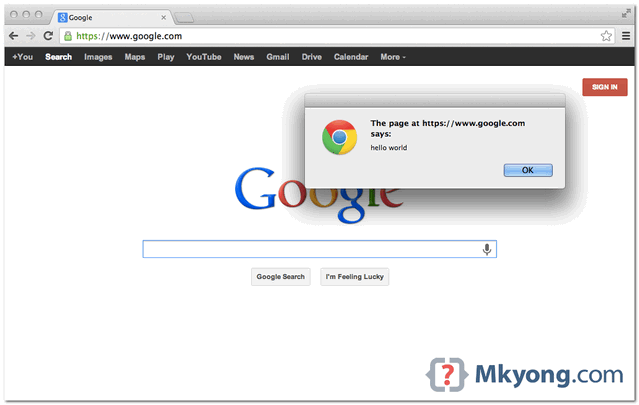

감사합니다. 유용하게 쓰겠습니다. 수고하세요
Another solution is published in this article about important Selenium tools
Hi , I want to execute Chrome driver from remote server where my web application is hosted,
is there any way it opens chrome driver from my local system when i execute from server
Hi,
I tried to execute the full screen of video using javascript through selenium in chrome browser but the chrome is not allowing me to execute that functionality, it says that chrome needs a user gesture or user interaction
please suggest me the different ways to implement the above functionality ??
You are the best.
Hi, I am using Selenium Java and I have multiple Javascripts in a method. I want to wait for each Javascript to complete before the next script begins. Is there a way to do it?
And HtmlUnitDriver !!!!! ??????
Thank you! Saved me so much time.
Hi ,
How to print the value inside the alert.
For an example:
i want to print a value of ‘i’ with in the alert message. Is it possible?
My output should be like ‘The value of i is 10’ by using alert
Hi. Thank you for above information.It help us lot.
Now my query is that my script won’t work when i change the script language to JAVA instead of Java script. I know that web driver is compatible with javascript only, But is there any other way to use JAVA language instead of Java script? It throws ERROR – jmeter.JMeter: Uncaught exception: java.lang.NoClassDefFoundError: org/openqa/selenium/os/Kernel32 and browser closed immediately
Do we have to add enable or disable code line in Web Driver Sampler ?
Please reply soon.
Thanks
Also, not so obvious is that if you need to recover some javascript value to you code, you need to add a “return” to your javascript command.
For example: $driver->executeScript(‘return JSON.stringify(window.myData)’);
Since the Webdriver executes your code inside a javascript function in the target browser, you have to explicit the return instruction in order to recieve the data.
Very nice to extract window variables data 🙂
Hello, thanks for your knowledge sharing …while using above instruction I am getting “org.openqa.selenium.UnhandledAlertException: Modal dialog present: hello world
Build info: version: ‘2.39.0’, revision: ‘ff23eac’, time: ‘2013-12-16 16:12:12’…
any suggestion ?
Shubh, try giving Thread.sleep to debug the issue, may be the alert pop up is taking sometime to show up and thus driver is throwing this exception.
Hi Subh you just need swicth to the Alert window
driver.switchToAlert().accept();
Thanks