In this tutorial, we will create a Micronaut REST API that generates and returns a ZIP file for download.
Table of contents
- 1. Create a Micronaut Controller
- 2. Unit Testing the Controller
- 3. Run the Application
- 4. Download Source Code
- 5. References
Technologies used:
- Java 21
- Micronaut 4.7.6
- Maven 3.9.6
1. Create a Micronaut Controller
We’ll create a simple controller with an endpoint /zip/download that generates a ZIP file on-the-fly, including a physical file stored in the resources folder.
ZipController.java
package com.mkyong;

import io.micronaut.http.HttpResponse;
import io.micronaut.http.MediaType;
import io.micronaut.http.annotation.Controller;
import io.micronaut.http.annotation.Get;
import io.micronaut.http.server.types.files.StreamedFile;
import io.micronaut.scheduling.TaskExecutors;
import io.micronaut.scheduling.annotation.ExecuteOn;

import java.io.ByteArrayInputStream;
import java.io.ByteArrayOutputStream;
import java.io.IOException;
import java.io.InputStream;
import java.util.zip.ZipEntry;
import java.util.zip.ZipOutputStream;

@Controller("/zip")
public class ZipController {

    // Run this download on a separate thread pool that does not block the main Event loop.
    @ExecuteOn(TaskExecutors.BLOCKING)
    @Get(uri = "/download", produces = MediaType.APPLICATION_OCTET_STREAM)
    public HttpResponse<StreamedFile> downloadZip() throws IOException {

        ByteArrayOutputStream baos = new ByteArrayOutputStream();

        try (ZipOutputStream zos = new ZipOutputStream(baos)) {
            // Adding first file
            zos.putNextEntry(new ZipEntry("file1.txt"));
            zos.write("Hello from file 1".getBytes());
            zos.closeEntry();

            // Adding second file
            zos.putNextEntry(new ZipEntry("file2.txt"));
            zos.write("Hello from file 2".getBytes());
            zos.closeEntry();

            // Adding a physical file from resources folder
            try (InputStream resourceStream = getClass().getResourceAsStream("/application.properties")) {
                if (resourceStream != null) {
                    zos.putNextEntry(new ZipEntry("application.properties"));
                    resourceStream.transferTo(zos);
                    zos.closeEntry();
                }
            }

        }

        ByteArrayInputStream inputStream = new ByteArrayInputStream(baos.toByteArray());
        StreamedFile streamedFile = new StreamedFile(inputStream, MediaType.APPLICATION_OCTET_STREAM_TYPE)
                // StreamedFile.attach() sets the Content-Disposition header automatically
                .attach("files.zip");

        return HttpResponse.ok(streamedFile);
    }
}
2. Unit Testing the Controller
ZipControllerTest.java
package com.mkyong;

import io.micronaut.http.HttpRequest;
import io.micronaut.http.client.HttpClient;
import io.micronaut.http.client.annotation.Client;
import io.micronaut.test.extensions.junit5.annotation.MicronautTest;
import jakarta.inject.Inject;
import org.junit.jupiter.api.Test;

import java.io.ByteArrayInputStream;
import java.io.IOException;
import java.util.zip.ZipEntry;
import java.util.zip.ZipInputStream;

import static org.junit.jupiter.api.Assertions.*;

@MicronautTest
class ZipControllerTest {

    @Inject
    @Client("/")
    HttpClient client;

    @Test
    void testDownloadZip() throws IOException {
        byte[] response = client.toBlocking()
                .retrieve(HttpRequest.GET("/zip/download"), byte[].class);

        assertNotNull(response);
        assertTrue(response.length > 0);

        // Validate ZIP content
        try (ZipInputStream zis = new ZipInputStream(new ByteArrayInputStream(response))) {
            ZipEntry entry;
            int fileCount = 0;

            while ((entry = zis.getNextEntry()) != null) {
                assertNotNull(entry);
                assertTrue(entry.getName().matches("file1.txt|file2.txt|application.properties"));
                zis.closeEntry();
                fileCount++;
            }
            assertEquals(3, fileCount);
        } catch (IOException e) {
            fail("IOException occurred during ZIP validation: " + e.getMessage());
        }
    }
}
3. Run the Application
Run the application:
./mvnw mn:run
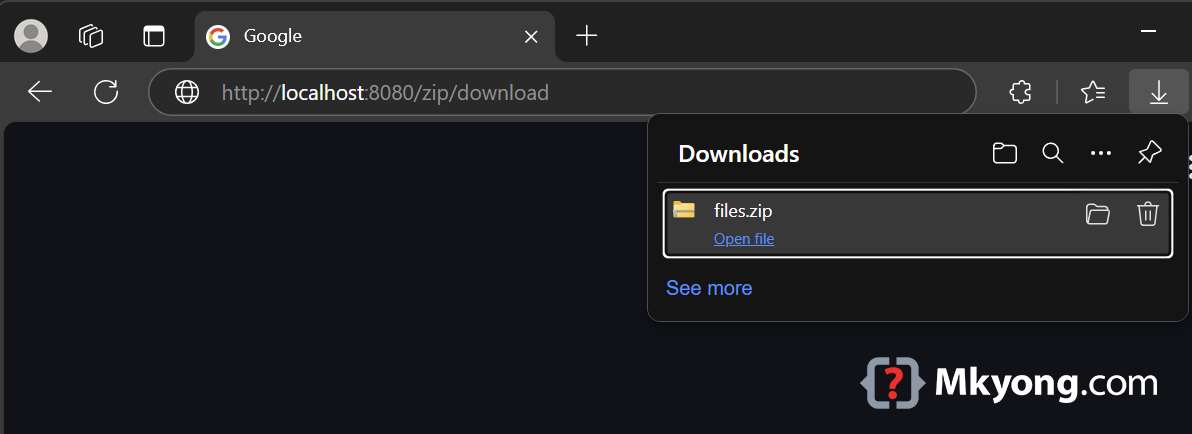
Visit this endpoint
http://localhost:8080/zip/download
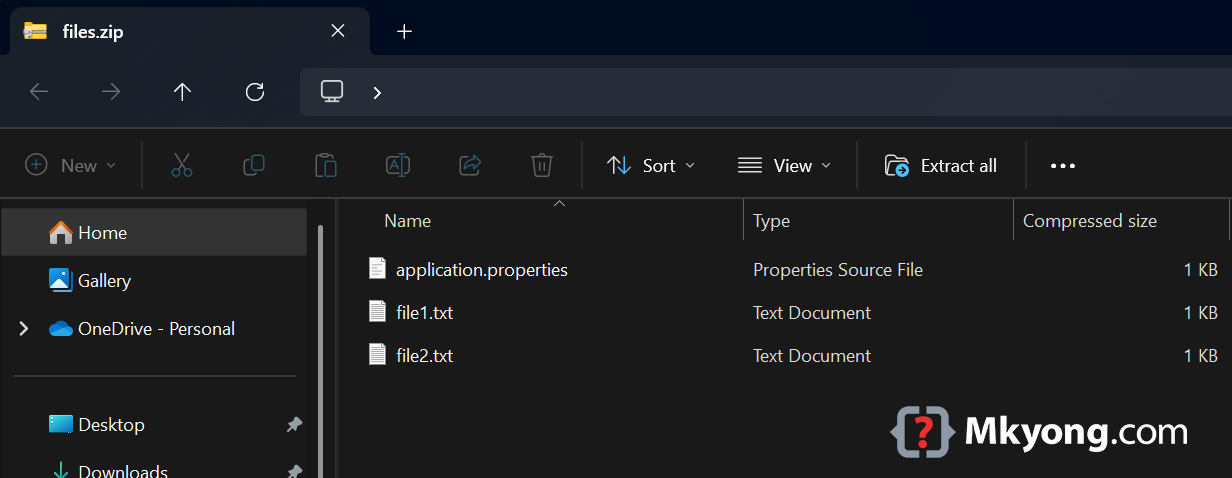
- A file named
files.zipcontaining three text files (file1.txt,file2.txt, andsample.txt) will be downloaded.
4. Download Source Code
https://github.com/mkyong/micronaut.git
cd returnzip
./mvnw mn:run
visit http://localhost:8080/zip/download

No comments yet. Be the first to leave a comment!