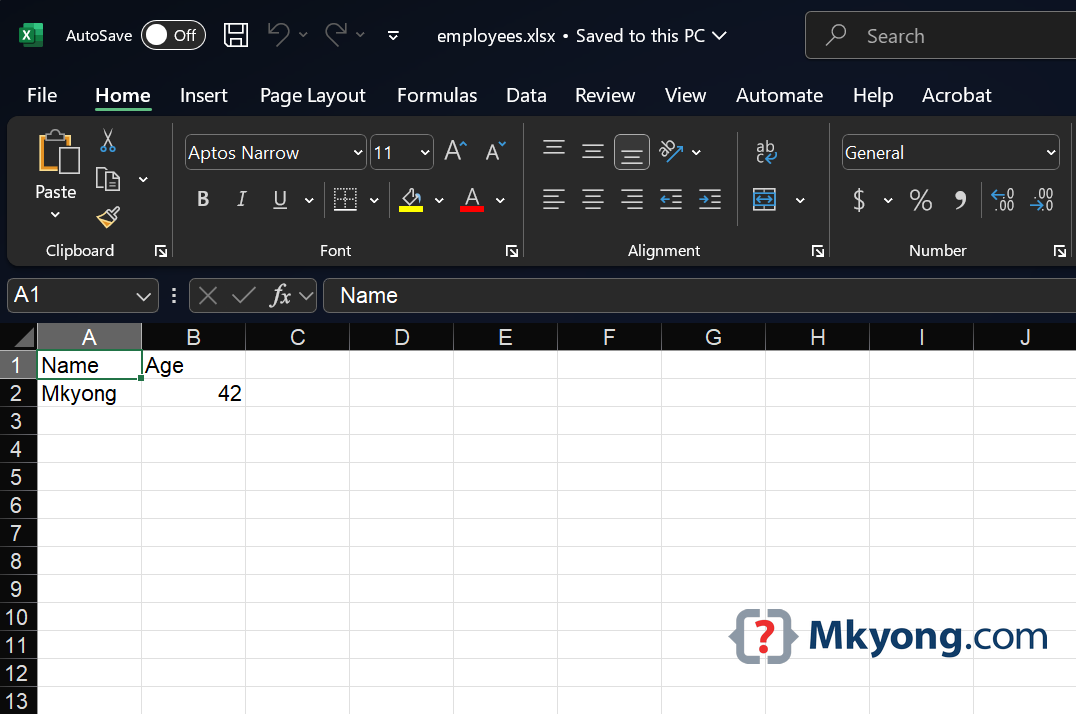
In this tutorial, we will learn how to return a Excel file .xlsx in a Micronaut controller using Apache POI.
Table of contents
- 1. Add Apache POI Dependency
- 2. Create the Excel Service
- 3. Create the Controller to return Excel file
- 4. Run the Application
- 5. Testing the Excel Download Endpoint
- 6. Download Source Code
- 7. References
Technologies used:
- Java 21
- Micronaut 4.7.6
- Maven 3.9.6
- Apache POI 5.4.0
1. Add Apache POI Dependency
To work with Excel file, we need the Apache POI library.
pom.xml
<!-- Apache POI - Java API To Access Microsoft Format Files -->
<dependency>
    <groupId>org.apache.poi</groupId>
    <artifactId>poi-ooxml</artifactId>
    <version>5.4.0</version>
</dependency>
2. Create the Excel Service
Create a service that generates an Excel file:
ExcelService.java
package com.mkyong.service;

import jakarta.inject.Singleton;
import org.apache.poi.ss.usermodel.Row;
import org.apache.poi.ss.usermodel.Sheet;
import org.apache.poi.ss.usermodel.Workbook;
import org.apache.poi.xssf.usermodel.XSSFWorkbook;

import java.io.ByteArrayOutputStream;
import java.io.IOException;

@Singleton
public class ExcelService {

    public byte[] generateExcelFile() throws IOException {

        Workbook workbook = new XSSFWorkbook();

        Sheet sheet = workbook.createSheet("Employees");

        Row header = sheet.createRow(0);
        header.createCell(0).setCellValue("Name");
        header.createCell(1).setCellValue("Age");

        Row dataRow = sheet.createRow(1);
        dataRow.createCell(0).setCellValue("Mkyong");
        dataRow.createCell(1).setCellValue(42);

        ByteArrayOutputStream baos = new ByteArrayOutputStream();
        workbook.write(baos);
        workbook.close();

        return baos.toByteArray();
    }

}
3. Create the Controller to return Excel file
Create a controller that sends the Excel file in the HTTP response.
Here, we use the HttpHeaders.CONTENT_DISPOSITION header to inform the browser that the response should be downloaded as a file attachment instead of displaying it inline.
ExcelController.java
package com.mkyong.controller;

import com.mkyong.service.ExcelService;
import io.micronaut.http.HttpHeaders;
import io.micronaut.http.HttpResponse;
import io.micronaut.http.MediaType;
import io.micronaut.http.annotation.Controller;
import io.micronaut.http.annotation.Get;
import io.micronaut.scheduling.TaskExecutors;
import io.micronaut.scheduling.annotation.ExecuteOn;

@Controller("/excel")
public class ExcelController {

    private final ExcelService excelService;

    public ExcelController(ExcelService excelService) {
        this.excelService = excelService;
    }

    // Run this download on a separate thread pool that does not block the main Event loop.
    @ExecuteOn(TaskExecutors.BLOCKING)
    @Get(uri = "/download", produces = MediaType.APPLICATION_OCTET_STREAM)
    public HttpResponse<byte[]> downloadExcel() throws Exception {
        byte[] excelData = excelService.generateExcelFile();

        return HttpResponse.ok(excelData)
                // force the browser to download a file instead of displaying it inline
                .header(HttpHeaders.CONTENT_DISPOSITION, "attachment; filename=employees.xlsx");
    }

}
4. Run the Application
Run the application:
Terminal
./mvnw mn:run
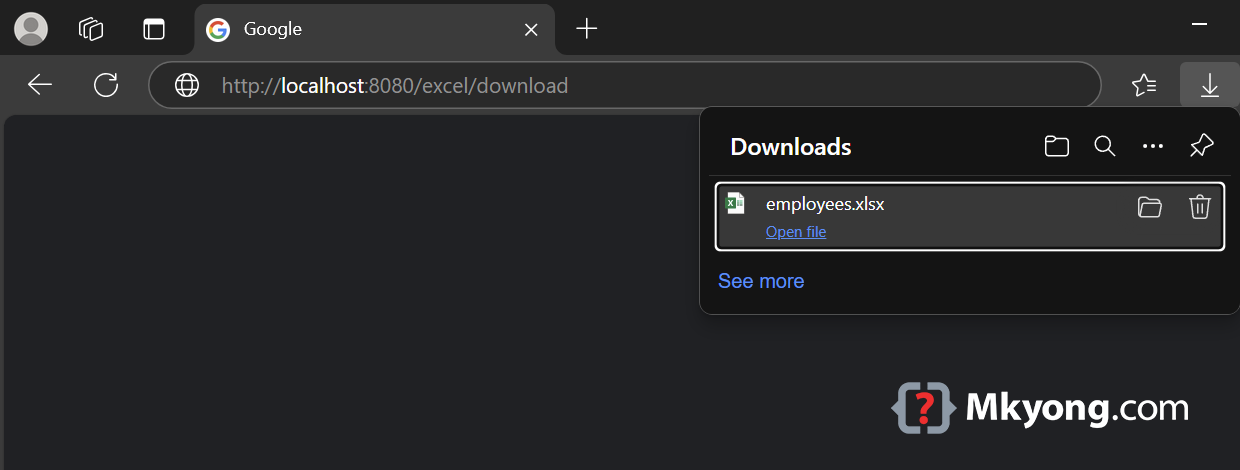
Visit this end point:
http://localhost:8080/excel/download
This should prompt a file download named employees.xlsx.
5. Testing the Excel Download Endpoint
ExcelControllerTest.java
package com.mkyong.controller;

import io.micronaut.http.HttpHeaders;
import io.micronaut.http.HttpStatus;
import io.micronaut.http.client.HttpClient;
import io.micronaut.http.client.annotation.Client;
import io.micronaut.test.extensions.junit5.annotation.MicronautTest;
import org.junit.jupiter.api.Test;

import jakarta.inject.Inject;

import static org.junit.jupiter.api.Assertions.*;

@MicronautTest
class ExcelControllerTest {

    @Inject
    @Client("/")
    HttpClient client;

    @Test
    void testExcelDownload() {
        var response = client.toBlocking().exchange("/excel/download", byte[].class);

        assertEquals(HttpStatus.OK, response.status());
        assertTrue(response.getHeaders().get(HttpHeaders.CONTENT_DISPOSITION).contains("employees.xlsx"));
        assertNotNull(response.body());
    }
}
6. Download Source Code
https://github.com/mkyong/micronaut.git
cd returnexcel
./mvnw mn:run
http://localhost:8080/excel/download

No comments yet. Be the first to leave a comment!