By default, Intellij IDEA doesn’t compile classes automatically. But, you can enable the auto compile feature by following steps :
- In “Project settings or preferences”
- Select “Build, Execution, Deployment -> Compiler”
- Checked
Make project automatically
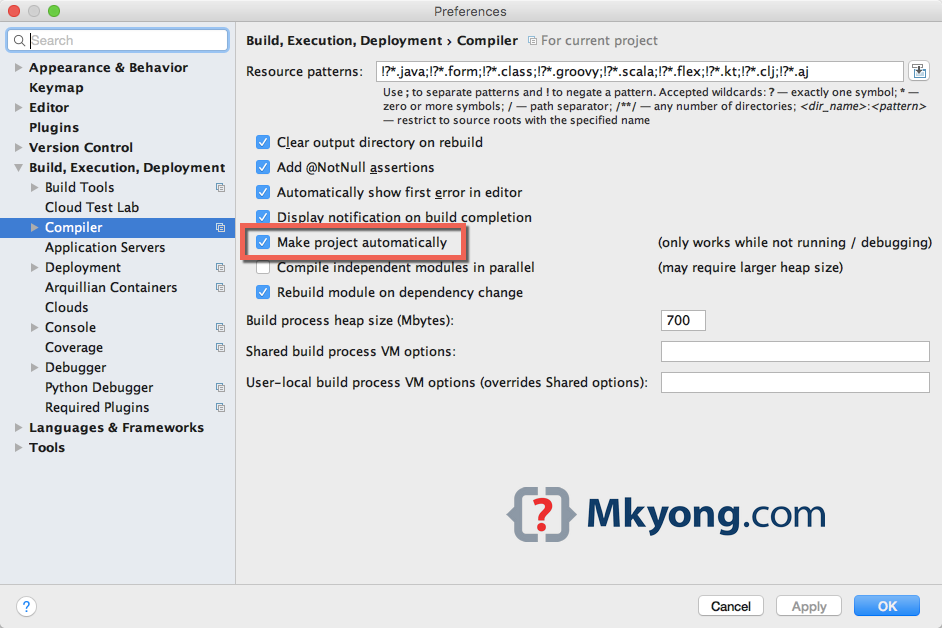
P.S This feature is available since IDEA 12

Thank you, that was useful
Is there any way to make the setting turned on by default? I do this on every project and it would be nice to remove a manual step.
Note that the project is only built if the application isn’t running. In my eyes, that makes it almost useless.
Its meant for Unit testing mostly. Its very useful being able to type a few lines and check to see if a test goes green.
However what is annoying is that it doesn’t use a java-linter test before building wasting a lot of cycles.