I downloaded FallOut3 game today, however it delivered in ISO image format. The ISO image is an archive file or disk image of an optical disc (CD or DVD).
Do you know we can extract ISO image file with winrar? We always use winrar to zip or unzip certain files, but we also can use it to extract ISO image file.
Here is the steps
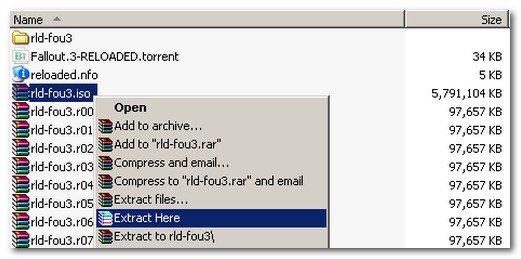
2) Install WinRar
3) Right click on ISO image file
4) Just Extract it
5) Done

Guys, This link is helpful. Explaination way is very easy and informative. Surely after watching this video your USB will be bootable.you should give it a try :).
http://youtu.be/E9C89jxzUjY
it cant happen……i hv image of 7.9 gb and after extracting its only shows 83.2 mb
Your kidding right? So I don’t have to go running down a large enough CD? Freaking awesome!
Thank you, Found you through google and got the answer I needed…