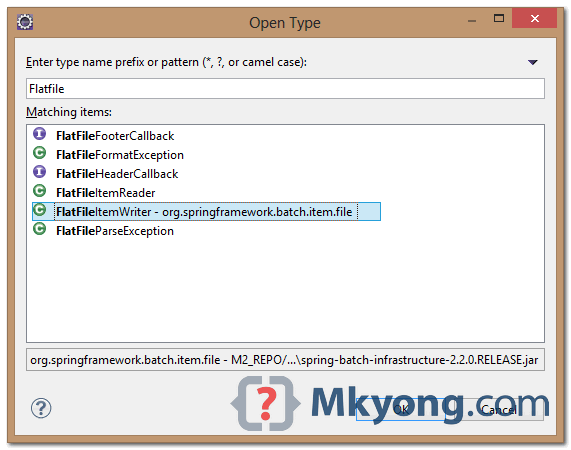
In Eclipse IDE, you can type CTRL + SHIFT + T in Windows or *nix or Command + SHIFT + T in Mac OSX to prompt an Open Type dialog box to find details about a specified Java class.
For example, if you want to know the detail of this Java class – FlatFileItemWriter (Spring batch class).
1. Click any of yours .java class. Type commands CTRL + SHIFT + T :
2. Combine with “Outline” tab for better result.
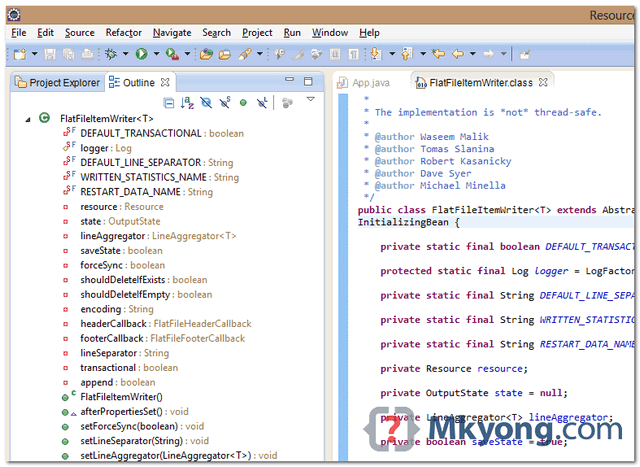
Done.

Hi, this is usefull feature, but maybe this article could be extended a little bit, I mean write about all source navigation (class ctrl+shift+t, resource ctrl+shift+r, ctrl+shift+h hierarchy, method call occurence etc.).
Thanks for your tips, article always start small and scale up later 🙂