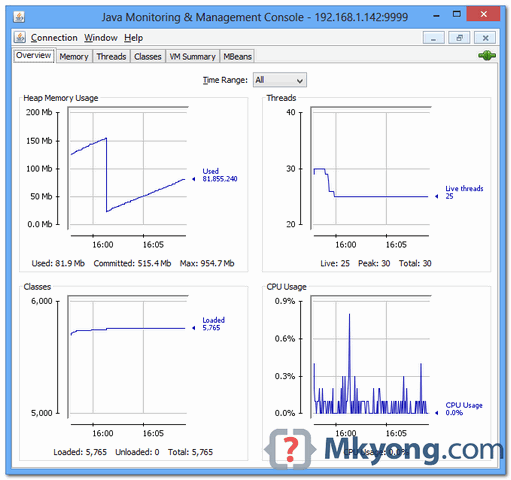
In this tutorial, we will show you how to use jConsole to remote access a Tomcat instance, for JVM monitoring stuff.
Tools and environment used :
- Ubuntu 13 + Tomcat 7 + 192.168.1.142
- Windows 8 + jConsole + 192.168.1.200
1. Tomcat + JMX
To connect with jConsole, Tomcat need to enable the JMX options. To solve it, create a {tomcat-folder}\bin\setenv.sh (if not exists), and put the following values :
-Dcom.sun.management.jmxremote
-Dcom.sun.management.jmxremote.port={port to access}
-Dcom.sun.management.jmxremote.authenticate=false
-Dcom.sun.management.jmxremote.ssl=false
-Djava.rmi.server.hostname={optional, allow what ip to access this Tomcat}
for example,
{tomcat-folder}\bin\setenv.sh
export JAVA_OPTS="-Dcom.sun.management.jmxremote -Dcom.sun.management.jmxremote.port=9999 -Dcom.sun.management.jmxremote.authenticate=false -Dcom.sun.management.jmxremote.ssl=false"
Restart Tomcat, now you can connect to this Tomcat via jConsole in port 9999.
2. jConsole Example
2.1 Start jConsole.
c:\>jconsole
2.2 Select “Remote Process”, type the Tomcat ip and port to connect : 192.169.1.142:9999.
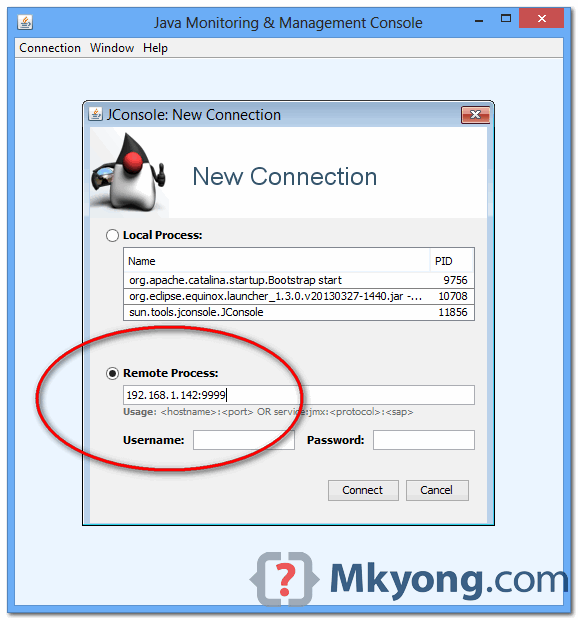
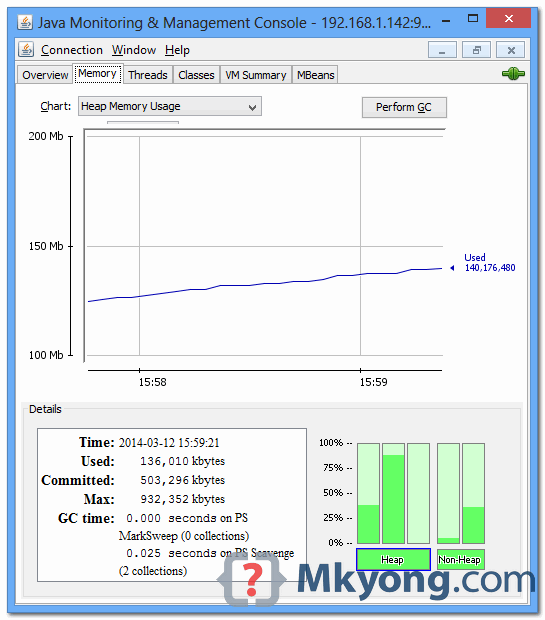
2.3 Clicks on the button “Insecure connection”. Tomcat detail is shown if connection is successful.

I used this guide to use jconsole on a remote server and it worked great until I had to stop tomcat. The process will keep running and block tomcat shutdown tries.
To solve this I followed these instructions: https://bowerstudios.com/node/636
Hi All, I’m unable to take Jconsole to Tomcat version 7 from a remote server. I get an error connection failed:Retry?
It’s better to set CATALINA_OPTS not export JAVA_OPTS. Like in Tomcat documentation https://tomcat.apache.org/tomcat-7.0-doc/monitoring.html
ManageCat provides free monitoring license to manage and monitor the Apache Tomcat and TomEE instances. Checkout the http://managecat.com to get further information. With ManageCat, there is no need to configure and install anything to monitor your instances.
also check that the property sometimes you must declares a property named com.sun.management.jmxremote.rmi.port with the same value as the property com.sun.management.jmxremote.port. Check this for more info at this place : http://serverfault.com/questions/308662/how-do-i-fix-a-failed-to-retrieve-rmiserver-stub-jmx-error
hi i tried host name and port number i get the conncetion failed:connection timed out what is the solution?
Did the below changes
export JAVA_OPTS=”-Dcom.sun.management.jmxremote -Dcom.sun.management.jmxremote.port=9999 -Dcom.sun.management.jmxremote.authenticate=true -Dcom.sun.management.jmxremote.ssl=false -Dcom.sun.management.jmxremote.password.file=/ngs/Users/edam/NewInst/aem02/jmx.password” its throughing error connection failed.
Works fine. But.. stopping tomcat gives the following error:
Error: Exception thrown by the agent : java.rmi.server.ExportException: Port already in use: 2345; nested exception is:
java.net.BindException: Address already in use
Result: I can’t stop tomcat.
Try to change from JAVA_OPTS to CATALINA_OPTS.