In this article, we show how to set up and use the default Logback for logging in a Micronaut application.
Table of Contents:
- 1. Setting Up Logging in Micronaut
- 2. Logging Configuration
- 3. Logging Usage
- 4. Logging Usage Again
- 5. Logging Output
- 6. Download Source Code
- 7. References
1. Setting Up Logging in Micronaut
The Micronaut uses slf4j to log messages, and the default slf4j implementation is Logback.
    <dependency>
        <groupId>ch.qos.logback</groupId>
        <artifactId>logback-classic</artifactId>
        <scope>runtime</scope>
    </dependency>
The Micronaut CLI includes the
logbackdependency by default.
2. Logging Configuration
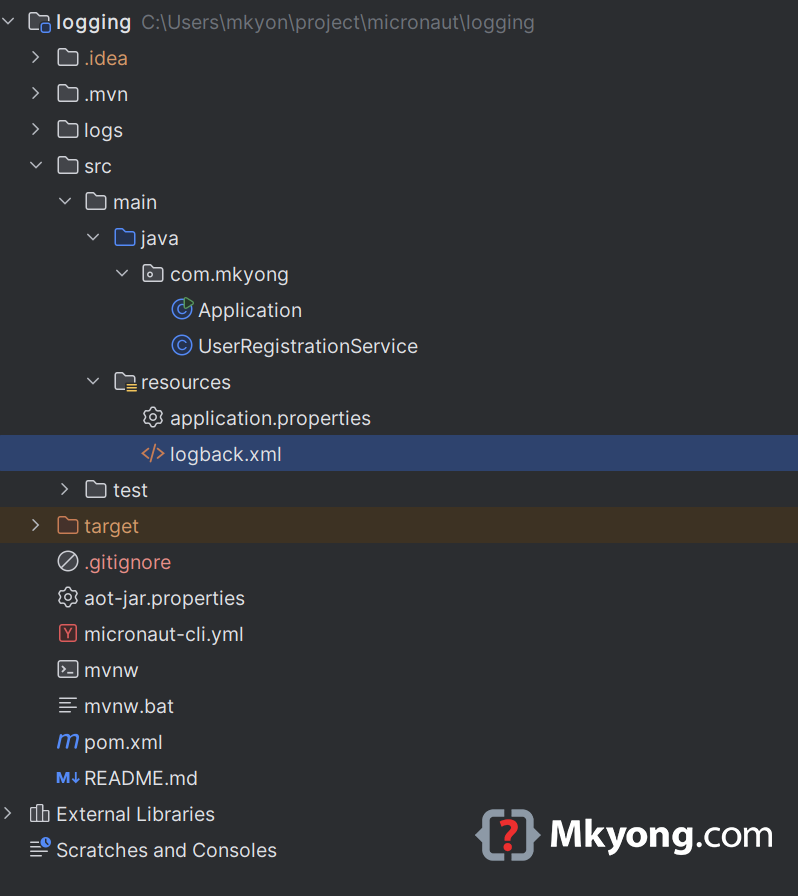
Logging configuration is typically done in logback.xml. Place this file under src/main/resources. The default generated logging configuration output logging to console with some color highlight.
<configuration>

    <appender name="STDOUT" class="ch.qos.logback.core.ConsoleAppender">
        <encoder>
            <pattern>%cyan(%d{HH:mm:ss.SSS}) %gray([%thread]) %highlight(%-5level) %magenta(%logger{36}) - %msg%n</pattern>
        </encoder>
    </appender>

    <root level="info">
        <appender-ref ref="STDOUT" />
    </root>

</configuration>
3. Logging Usage
Here’s how we log messages using SLF4J annotations in Micronaut:
package com.mkyong;

import io.micronaut.runtime.Micronaut;
import org.slf4j.Logger;
import org.slf4j.LoggerFactory;

public class Application {

    private static final Logger LOG = LoggerFactory.getLogger(Application.class);

    public static void main(String[] args) {
        Micronaut.run(Application.class, args);
        LOG.info("Micronaut application has started.");
    }

}
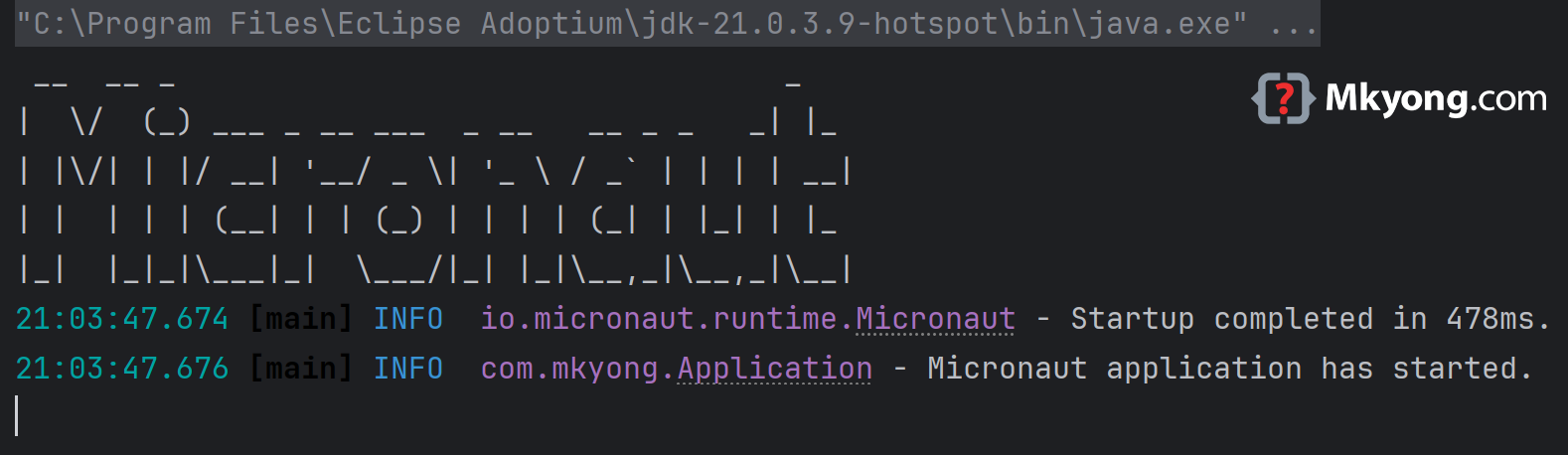
Start the application and see the colored logging in the console
4. Logging Usage Again
Imagine we have an application managing user registrations. Logging can help identify registration issues quickly:
package com.mkyong;

import jakarta.inject.Singleton;
import org.slf4j.Logger;
import org.slf4j.LoggerFactory;

@Singleton
public class UserRegistrationService {

    private static final Logger LOG = LoggerFactory.getLogger(UserRegistrationService.class);

    public void registerUser(String username) {
        LOG.info("Registering user: {}", username);

        if (username == null || username.isEmpty()) {
            LOG.warn("Attempted to register user with empty username");
            throw new IllegalArgumentException("Username cannot be empty");
        }

        try {
            // logic to register user
            LOG.debug("User {} successfully registered.", username);
        } catch (Exception ex) {
            LOG.error("Error registering user {}", username, ex);
        }
    }

}
5. Logging Output
Below is an updated logback.xml example to support logging to console, file and file rolling.
<configuration>

    <!-- Console appender -->
    <appender name="CONSOLE" class="ch.qos.logback.core.ConsoleAppender">
        <encoder>
            <pattern>%d [%thread] %-5level %logger{36} - %msg%n</pattern>
        </encoder>
    </appender>

    <!-- File appender -->
    <appender name="FILE" class="ch.qos.logback.core.FileAppender">
        <file>logs/application.log</file>
        <encoder>
            <pattern>%d [%thread] %-5level %logger{36} - %msg%n</pattern>
        </encoder>
    </appender>

    <!-- Rolling file appender -->
    <appender name="ROLLING_FILE" class="ch.qos.logback.core.rolling.RollingFileAppender">
        <file>logs/rolling-app.log</file>
        <rollingPolicy class="ch.qos.logback.core.rolling.TimeBasedRollingPolicy">
            <fileNamePattern>logs/rolling-app-%d{yyyy-MM-dd}.log</fileNamePattern>
            <maxHistory>7</maxHistory>
        </rollingPolicy>
        <encoder>
            <pattern>%d [%thread] %-5level %logger{36} - %msg%n</pattern>
        </encoder>
    </appender>

    <root level="INFO">
        <appender-ref ref="CONSOLE" />
        <appender-ref ref="FILE" />
        <appender-ref ref="ROLLING_FILE" />
    </root>

    <logger name="com.mkyong" level="DEBUG" />

</configuration>
- Console – logs output directly to the terminal.
- File – writes logs to a specific file (
application.log). - Rolling File – logs are saved daily with historical files retained for 7 days (
rolling-app.log).

I’d like to see more details,
like different configurations for different profiles, etc.