Problem
Using Eclipse 3.7 + Google Plugin for Eclipse to develop GAE project, when created a .jsp file in “war” directory, Eclipse shows a cross error icon on top of the JSP file.
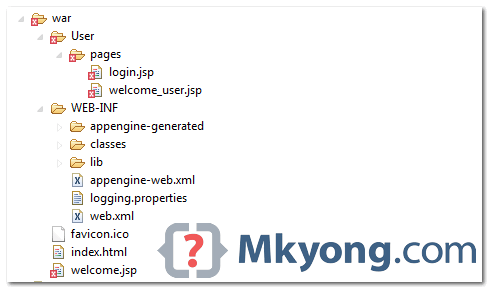
In Eclipse problem view, it show “Your project must be configured to use a JDK in order to use JSPs.“.
Solution
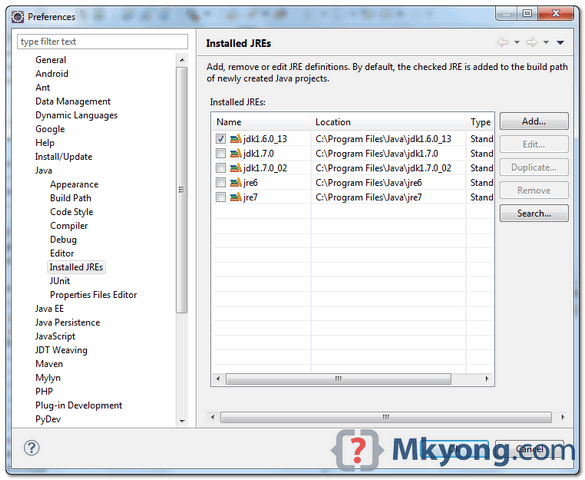
To solve it, change your Eclipse’s Installed JRE, and point it to your JDK folder. In Eclipse menu, select Windows -> Preferences -> Java -> Installed JREs, add your JDK folder and checked on it.
P.S JSP need JDK “javac” to compile, which doesn’t exist in JRE.

Thanks for sharing
Sir, Seriously i lack worlds to describe you.
But i can say that your tutorials have shape my programming career.
You are at every stop over!
Thanks!!!
good job , There are many advantages
It’s work! thanks!
thanks
Thanks for your post. I was getting this error and it is resolved with your fix.
Thank you,
Bhavdeep
I set JRE to my Java6, but still i could see same error. Did not work for me,